智能工作流
经 AI Skill Hub 精选评估,智能工作流 获评「推荐使用」。这款Agent工作流在功能完整性、社区活跃度和易用性方面表现出色,AI 评分 7.5 分,适合有一定技术背景的用户使用。
📚 深度解析
智能工作流 工作流的设计遵循"最小配置,最大复用"原则:核心逻辑已经封装好,用户只需配置自己的 API Key 和业务参数即可快速上手。工作流内置错误处理和重试机制,在网络波动或 API 限速等情况下仍能稳定运行,适合作为生产环境的自动化基础设施。
在实际部署时,建议先在测试环境中运行 3-5 次,验证各个环节的输出结果符合预期,再部署到生产环境。AI Skill Hub 评分 7.5 分,是同类 Agent 工作流中的精选推荐。
📋 工具概览
智能工作流 是一套完整的 AI Agent 自动化工作流方案。通过可视化的节点编排,将复杂的多步骤任务拆解为清晰的自动化流程,实现全程无人值守的智能处理。支持与数百种外部服务和 API 无缝集成,适合构建数据处理管线、业务自动化和 AI 辅助决策系统。
📖 中文文档
智能工作流 是一套完整的 AI Agent 自动化工作流方案。通过可视化的节点编排,将复杂的多步骤任务拆解为清晰的自动化流程,实现全程无人值守的智能处理。支持与数百种外部服务和 API 无缝集成,适合构建数据处理管线、业务自动化和 AI 辅助决策系统。
- 可视化 Agent 工作流编排,无需编写复杂代码
- 支持多步骤自动化任务链,实现全流程无人值守
- 与外部 API、数据库和第三方服务无缝集成
- 内置错误处理与自动重试机制,保障稳定运行
- 提供可复用的自动化模板,快速在同类场景部署
- 自动化日常重复性工作,将精力集中于创造性任务
- 构建数据采集 → 处理 → 输出的完整自动化管线
- 实现跨平台、跨系统的数据流转和业务协同
# 方式一:pip 安装(推荐)
pip install captain-claw

# 方式二:虚拟环境安装(推荐生产环境)
python -m venv .venv
source .venv/bin/activate  # Windows: .venv\Scripts\activate
pip install captain-claw

# 方式三:从源码安装(获取最新功能)
git clone https://github.com/kstevica/captain-claw
cd captain-claw
pip install -e .

# 验证安装
python -c "import captain_claw; print('安装成功')"
- 访问 GitHub 仓库获取工作流文件
- 在对应平台(Dify / Flowise / Make 等)中找到「导入工作流」功能
- 上传工作流文件
- 按照提示配置必要的环境变量和 API Key
- 运行测试确认流程正常后投入使用
# 命令行使用
captain-claw --help

# 基本用法
captain-claw input_file -o output_file

# Python 代码中调用
import captain_claw

# 示例
result = captain_claw.process("input")
print(result)
# captain-claw 配置文件示例(config.yml)
app:
  name: "captain-claw"
  debug: false
  log_level: "INFO"

# 运行时指定配置文件
captain-claw --config config.yml

# 或通过环境变量配置
export CAPTAIN_CLAW_API_KEY="your-key"
export CAPTAIN_CLAW_OUTPUT_DIR="./output"
Captain Claw






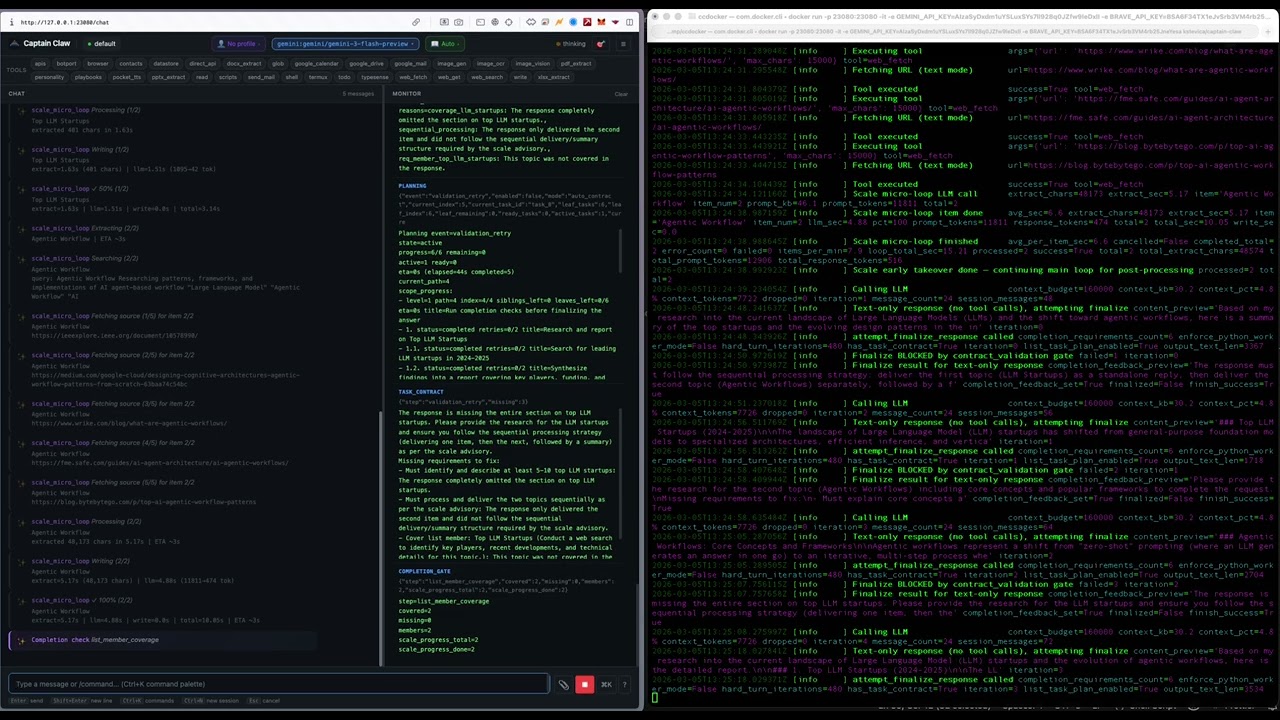
An open-source AI agent with multi-agent orchestration, autonomous cognitive systems, and a full management dashboard. Runs locally, supports every major LLM provider, and ships with 44 built-in tools.
What's New in 0.4.27
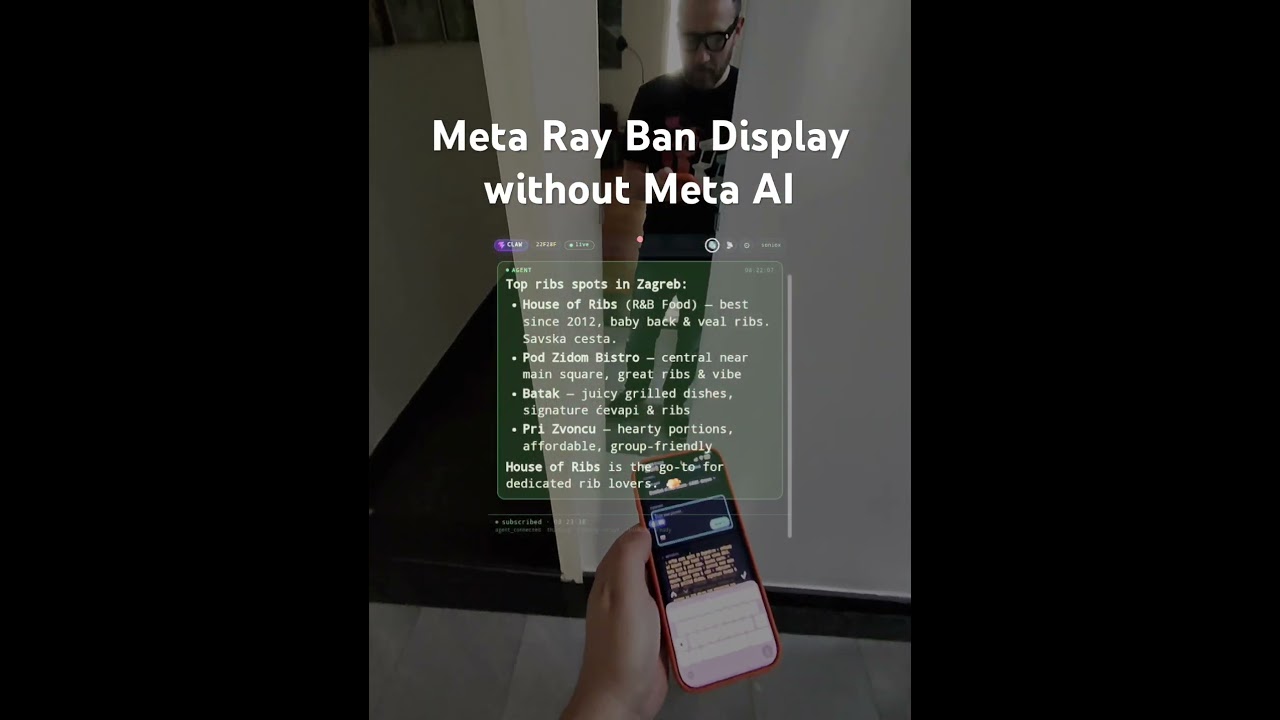
Glasses Bridge. Captain Claw 0.4.27 introduces a mobile-web → agent → glasses-web pipeline that lets you talk to any Flight Deck agent from your phone and have its reply rendered (and spoken) on Meta Ray-Ban Display smart glasses. Plus Tavily as a web-search provider — thank you to the Tavily team for the excellent API.
- Glasses Bridge (
captain_claw/flight_deck/glasses_bridge.py) — three pages tied together by a channel-based pub/sub bus in Flight Deck: - Mobile bridge at
/glasses/mobile— pick a process agent, type, optionally attach a photo, hit Send. Installable as a PWA on iOS (Share → Add to Home Screen) and Android (install prompt). Standalone mode, dark theme, scoped to/glasses/. Editable channel id in the URL so anyone with the link is in. - Glasses view at
/glasses/view?c=<channel>— floating HUD bar with brand pill + SSR freshness token + live indicator, last 3 messages rendered with full markdown including tables, prominent pulsing "thinking" state when the agent is busy, compact return when the answer arrives. - Settings page at
/glasses/settings?c=<channel>— tap-target button grids for voice (28) and language (60+), grouped by accent (Neutral / British / American-Spanish / Australian / Indian). Replaces native<select>dropdowns which are essentially unusable with Neural Band gestures. - Soniox TTS streaming (
WS /glasses/tts-stream) — first-audio latency 150–300 ms via PCM s16le chunks scheduled through Web Audio API; auto-fallback to one-shot MP3 (POST /glasses/tts) if streaming hiccups. Toggle stream/one-shot in the glasses header (📡 / 📦), persisted across reloads. 60+ languages, 28 multilingual voices. - Voice off by default with an explicit
🔇 Voice is off — tap 🔊 to enablebanner. Tapping🔊doubles as the user gesture that satisfies browser autoplay policy. Zero/glasses/tts*traffic while muted. - Photo attachment — paperclip in the mobile composer triggers camera or gallery (
capture="environment"); bridge proxies the multipart upload to the chosen agent's/api/image/uploadand includes the resulting path in the chat. Agent sees the image as the familiar[Attached image: …]prefix. - Hidden glasses system context — first message of every channel→agent binding gets a prepended
[SYSTEM CONTEXT — do not echo]block telling the model the reply will render on a tiny HUD. Sent to the agent only; never broadcast to the channel bus. - Captain Claw launcher icons — PNG icons (96 / 180 / 192 / 512) wired into the glasses view head and a separate
/glasses/view-manifest.webmanifestso Meta's wearables runtime shows the brand mark instead of the default fallback (Meta does not accept SVG). - Tavily web-search provider —
web_searchnow supportsprovider: tavilyalongside the defaultbrave. SetTAVILY_API_KEYin env /.envortools.web_search.tavily_api_keyin config. Transparent to the agent — same tool, samequeryparameter. meta-glasses-test/— standalone stdlib freshness probe for verifying the "fresh from server every load" behaviour of the glasses webview, separate from the agent stack.
Backward compatible — existing 0.4.26 setups keep working unchanged. Glasses Bridge is dormant unless you visit /glasses/*. Tavily is opt-in; the default web-search provider remains Brave. See RELEASE_NOTES_0.4.27.md for the full breakdown and the How to use the Glasses Bridge walkthrough.
See RELEASE_NOTES.md for the full changelog.
Docker
docker pull kstevica/captain-claw:latest
docker run -d -p 23080:23080 \
  -v $(pwd)/config.yaml:/app/config.yaml:ro \
  -v $(pwd)/.env:/app/.env:ro \
  -v $(pwd)/docker-data/home-config:/root/.captain-claw \
  -v $(pwd)/docker-data/workspace:/data/workspace \
  kstevica/captain-claw:latest
See README_DETAILED.md for Docker Compose and persistent data setup.
Quick Start
pip install captain-claw
export OPENAI_API_KEY="sk-..."          # or ANTHROPIC_API_KEY, GEMINI_API_KEY, etc.
captain-claw-web                         # http://127.0.0.1:23080
captain-claw-web # Web UI (default)
captain-claw # Interactive terminal
captain-claw --tui # Terminal UI
captain-claw-fd # Flight Deck multi-agent dashboard
captain-claw-mcp # MCP server for Claude Desktop
botport # Agent-to-agent routing hubFirst run starts onboarding automatically. For Ollama, no key needed — set provider: ollama in config.yaml.
Configuration
YAML-driven with environment variable overrides (CLAW_ prefix).
model:
  provider: gemini
  model: gemini-2.5-flash
  allowed:
    - id: claude-sonnet
      provider: anthropic
      model: claude-sonnet-4-20250514
    - id: gpt-4o
      provider: openai
      model: gpt-4o

web:
  enabled: true
  port: 23080
Load precedence: ./config.yaml > ~/.captain-claw/config.yaml > env vars > .env > defaults.
Full reference: USAGE.md (23 config sections).
高质量的开源AI工作流项目
- 构建多智能体协作系统的 Agent 开发者
- Agent 任务先做 dry-run 验证工具调用链,再开启自主执行
- API key 直接提交到 git 仓库(请用 .env 并加入 .gitignore)
- Python 依赖冲突:建议用 venv / uv 隔离环境
- 云端托管:可放在 Vercel / Railway / Fly.io 等 PaaS 平台
⚡ 核心功能
- 可视化 Agent 工作流编排,无需编写复杂代码
- 支持多步骤自动化任务链,实现全流程无人值守
- 与外部 API、数据库和第三方服务无缝集成
- 内置错误处理与自动重试机制,保障稳定运行
- 提供可复用的自动化模板,快速在同类场景部署
- 构建多智能体协作系统的 Agent 开发者
- Agent 任务先做 dry-run 验证工具调用链,再开启自主执行
- API key 直接提交到 git 仓库(请用 .env 并加入 .gitignore)
- Python 依赖冲突:建议用 venv / uv 隔离环境
👥 适合人群
🎯 使用场景
- 自动化日常重复性工作,将精力集中于创造性任务
- 构建数据采集 → 处理 → 输出的完整自动化管线
- 实现跨平台、跨系统的数据流转和业务协同
⚖️ 优点与不足
- +MIT 协议,可免费商用
- +大幅减少重复性人工操作
- +可视化流程,清晰直观
- +可扩展性强,支持复杂场景
- −初始配置和调试需投入一定时间
- −强依赖外部服务的稳定性
- −复杂场景需具备一定技术基础
AI Skill Hub 为第三方内容聚合平台,本页面信息基于公开数据整理,不对工具功能和质量作任何法律背书。
建议在沙箱或测试环境中充分验证后,再部署至生产环境,并做好必要的安全评估。
✅ MIT 协议 — 最宽松的开源协议之一,可自由商用、修改、分发,仅需保留版权声明。
🔗 相关工具推荐
❓ 常见问题 FAQ
AI Skill Hub 点评:智能工作流 的核心功能完整,质量良好。对于自动化工程师和运维人员来说,这是一个值得纳入个人工具库的选择。建议先在非生产环境试用,再逐步推广。
| 原始名称 | captain-claw |
| 原始描述 | 开源AI工作流:AI agent with multi-agent orchestration, autonomous cognitive systems, and a ful。⭐38 · Python |
| Topics | AIagent工作流 |
| GitHub | https://github.com/kstevica/captain-claw |
| License | MIT |
| 语言 | Python |
收录时间:2026-05-26 · 更新时间:2026-05-30 · License:MIT · AI Skill Hub 不对第三方内容的准确性作法律背书。