魔术助手
魔术助手 是 AI Skill Hub 本期精选MCP工具之一。已获得 1.1k 颗 GitHub Star,综合评分 8.0 分,整体质量较高。我们强烈推荐将其纳入你的 AI 工具库,帮助提升工作效率。
📚 深度解析
通过安装 魔术助手,你的 AI 助手将获得额外的工具调用能力,可以用自然语言直接操控该工具的功能,无需学习复杂的命令行语法。MCP 工具的核心价值在于"一次配置,永久增强"——配置完成后,每次与 AI 对话时都可以无缝调用这些工具。
在技术实现上,MCP 工具通过标准的 JSON-RPC 协议与 AI 客户端通信,工具的功能以"工具列表"的形式暴露给 AI 模型,AI 可以按需调用。魔术助手 提供了结构化的工具调用接口,使 AI 模型能够精确地理解和使用每个功能点,显著降低 AI 在工具使用上的错误率。
与传统的 API 集成相比,MCP 工具的优势在于无需编写代码——用户只需在配置文件中添加几行 JSON,即可让 AI 获得全新能力。AI Skill Hub 将 魔术助手 评为 AI 评分 8.0 分,属于同类工具中的优质选择。
📋 工具概览
魔术助手 是一款遵循 MCP(Model Context Protocol)标准协议的 AI 工具扩展。通过 MCP 协议,它可以让 Claude、Cursor 等主流 AI 客户端直接访问和操作外部工具、数据源和服务,实现 AI 能力的无缝扩展。无论是文件操作、数据库查询还是 API 调用,都可以通过自然语言在 AI 对话中直接触发,极大提升生产效率。
📖 中文文档
魔术助手 是一款遵循 MCP(Model Context Protocol)标准协议的 AI 工具扩展。通过 MCP 协议,它可以让 Claude、Cursor 等主流 AI 客户端直接访问和操作外部工具、数据源和服务,实现 AI 能力的无缝扩展。无论是文件操作、数据库查询还是 API 调用,都可以通过自然语言在 AI 对话中直接触发,极大提升生产效率。
- 通过标准 MCP 协议与 Claude、Cursor 等主流 AI 客户端深度集成
- 提供结构化工具调用接口,显著降低 AI 集成复杂度
- 支持 Claude Desktop 和 Claude Code 无缝接入,开箱即用
- 可与其他 MCP 工具组合叠加,构建完整 AI 工作站
- 轻量无侵入设计,不影响现有系统架构
- 在 Claude Desktop 对话中直接调用本地工具,实现 AI 与系统的深度联动
- 通过自然语言驱动复杂的多步骤自动化任务,代替繁琐手动操作
- 将多个 MCP 工具组合使用,构建个人专属 AI 工作站
# 方式一:通过 Claude Code CLI 一键安装
claude skill install https://github.com/polterguy/magic

# 方式二:手动配置 claude_desktop_config.json
{
  "mcpServers": {
    "----": {
      "command": "npx",
      "args": ["-y", "magic"]
    }
  }
}

# 配置文件位置
# macOS: ~/Library/Application Support/Claude/claude_desktop_config.json
# Windows: %APPDATA%/Claude/claude_desktop_config.json
- 确认已安装 Node.js(v18 或以上版本)
- 打开 Claude Desktop 或 Claude Code 的 MCP 配置文件
- 按「交给 Agent 安装 → Claude Desktop」标签中的 JSON 配置填入 mcpServers 字段
- 保存配置文件并重启 Claude 客户端
- 重启后,在对话中即可使用本工具
# 安装后在 Claude 对话中直接使用
# 示例:
用户: 请帮我用 魔术助手 执行以下任务...
Claude: [自动调用 魔术助手 MCP 工具处理请求]

# 查看可用工具列表
# 在 Claude 中输入:"列出所有可用的 MCP 工具"
// claude_desktop_config.json 配置示例
{
  "mcpServers": {
    "____": {
      "command": "npx",
      "args": ["-y", "magic"],
      "env": {
        // "API_KEY": "your-api-key-here"
      }
    }
  }
}

// 保存后重启 Claude Desktop 生效
Instant SECURE Full Stack Apps and AI Agents
Turn plain English into a working full-stack app — database, secure API, business logic, and frontend — running on your own hardware, with zero lock-in. An open-source alternative to Lovable, Bolt, and Replit that gives you the whole backend, plus an MCP server that turns every endpoint into a tool for Claude, Cursor, or Codex.





What you can build
- Full-stack business apps — CRM systems, admin panels, booking systems, internal tools; database, secure API and frontend generated from natural language
- Database-driven AI agents — agents that query and update your database and invoke your endpoints, behind your own role-based access control
- AI chatbots and expert systems — crawl a website, get an embeddable chatbot grounded in your own content
- Secure APIs over legacy databases — point it at an existing MySQL, PostgreSQL, SQL Server or MariaDB schema and get a CRUD API in seconds
- Wrappers around third-party APIs — paste an OpenAPI or Swagger URL and get typed, documented endpoints wrapping Stripe, GitHub, Slack or anything else publishing a spec
- MCP tool servers — expose your endpoints to Claude, Cursor, Codex, Qoder or any MCP client
- Background jobs and automation — scheduled tasks written in Hyperlambda, or generated from a plain English description
- Static sites and SPAs — your cloudlet serves files directly, next to the APIs powering them
Getting started
Deploy to DigitalOcean (recommended)
One droplet running the full stack, with persistent volumes for your data, configuration and modules. Create your droplet — edit the single DOMAIN= line in .do/cloud-init.yaml and paste it into the User Data field. HTTPS is automatic through Caddy and Let's Encrypt. Full guide: DigitalOcean deployment guide
Docker Compose (self-hosted)
The one-liner at the top of this README is the fastest route. If you'd rather keep the file around:
<details> <summary>Full <code>docker-compose.yml</code></summary>
version: "3.8"

services:
  backend:
    image: servergardens/magic-backend:latest
    platform: linux/amd64
    container_name: magic_backend
    restart: unless-stopped

    ports:
      - "4444:4444"

    volumes:
      - magic_files_etc:/magic/files/etc
      - magic_files_data:/magic/files/data
      - magic_files_config:/magic/files/config
      - magic_files_modules:/magic/files/modules

  frontend:
    image: servergardens/magic-frontend:latest
    container_name: magic_frontend
    restart: unless-stopped

    depends_on:
      - backend

    ports:
      - "5555:80"

volumes:
  magic_files_etc:
  magic_files_data:
  magic_files_config:
  magic_files_modules:
</details>
Run docker compose up, visit localhost:5555, log in with root / root, and configure the system. More installation options here.
Building and testing
```bash
Run the backend — builds and starts the API on http://localhost:5000
cd backend dotnet run
Type-check and build the dashboard
cd frontend && npm install && npm run build ```
Import any API

Point the Import API tab at any OpenAPI or Swagger URL — OpenAPI 3.x or Swagger 2.0, JSON or YAML — and Magic generates Hyperlambda endpoints wrapping whichever operations you tick. Query parameters and form fields become named, typed arguments carrying the specification's own types, defaults, enums and descriptions, and required ones get validators, so a missing argument is refused before the upstream API is ever contacted.
Because Magic publishes an endpoint's file comment as its MCP tool description and each argument's comment as that argument's description, an imported API arrives at your agent as a set of self-describing tools. Slack's chat.postMessage becomes fifteen individually typed, individually described arguments — not one of them written by hand.
The upstream credential is never written into the generated files. It is read from your configuration at the moment the endpoint is invoked, so the files stay safe to commit, and you declare which of your roles are allowed to invoke the wrapper.
Backend — starts the API on http://localhost:5000
cd backend dotnet run
Bring your own OpenAI API key
Magic uses OpenAI by default — create a key here. If you'd rather not use OpenAI, there are Ollama and HuggingFace plugins that override the inference functions, and chatbots can use BM25 keyword retrieval instead of embeddings — full-text search over your training data, running entirely inside SQLite, needing no OpenAI key and no vectorisation. Semantic and hybrid retrieval still use OpenAI's embeddings API. And if you drive Magic through the MCP server, you don't need an OpenAI key at all.
Python, terminal, and C# integration
Generate and execute Python on the fly and let the LLM use it as a tool, use Bash and the underlying terminal, and create Hyperlambda keywords in C#. Persisted Python scripts can be referenced later as tools, permanently widening your agents' capabilities.
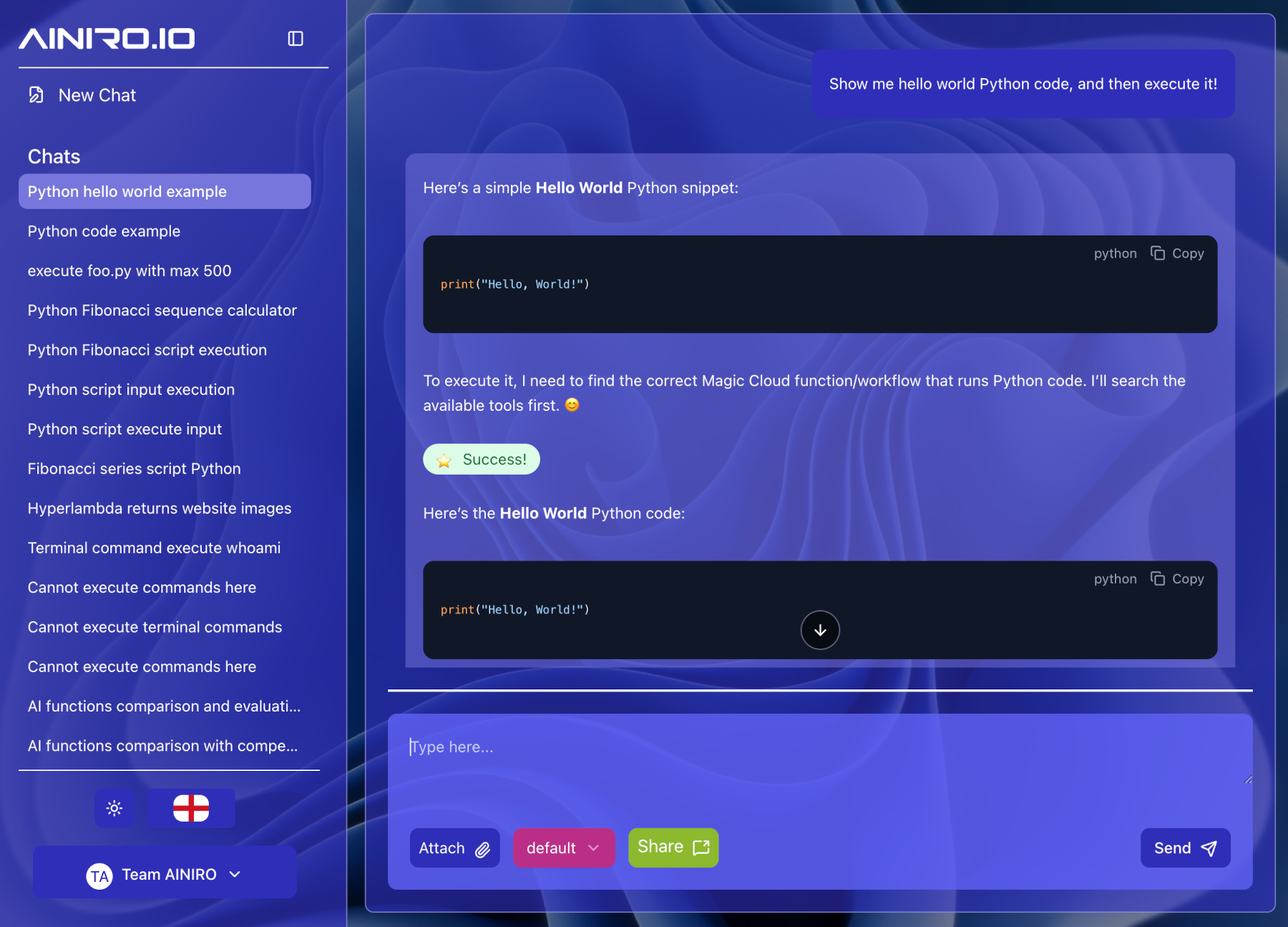
Notice — you must be logged in as root to generate and execute Python or terminal scripts, or create C# extensions. Magic's security model eliminates entire classes of holes, but it is not a magic pill; don't expose endpoints that let third parties execute arbitrary code.
Git integration
Magic was built for software developers from day one, so Git is integrated as part of the platform. Create a project, vibe code your tools and even your GitHub workflows, then commit and push.
Run a plugin's unit tests (each plugin's tests live in its *.tests project)
cd plugins/<plugin>/<plugin>.tests dotnet test
How it compares
| **Magic Cloud** | Lovable / Bolt | n8n / Zapier / Make | |
|---|---|---|---|
| License | MIT, fully open source | Proprietary | Mixed |
| Self-hostable | Yes — your hardware, your data | No | Partly |
| Backend included | Database, API, auth, RBAC, jobs | Frontend + third-party BaaS | Workflows only |
| Deploy step before you can test | **None** — save and run | Deploy to third parties first | Publish step |
| Execution model | Compiled .NET runtime | — | Interprets JSON/YAML workflows |
| MCP server | Built in | No | No |
| Vendor lock-in | None | Yes | Yes |
FAQ
Is it really free? Yes — MIT licensed, self-hostable, no feature gates. The hosted Hyperlambda code generator is currently free to use; future pricing is expected at $49 per 1,000 requests, and there is no payment wall today.
Do I need an OpenAI API key? For AI code generation and semantic (embeddings) retrieval, yes. If you drive Magic over MCP from Claude or Codex, no. Ollama and HuggingFace plugins can replace inference, and chatbots configured for BM25 keyword retrieval search your training data with SQLite full-text search — no OpenAI involved.
Can I run it completely on my own hardware? Yes. Everything — database, API, frontend, scheduler, chatbots — runs in your own containers, on your own machine.
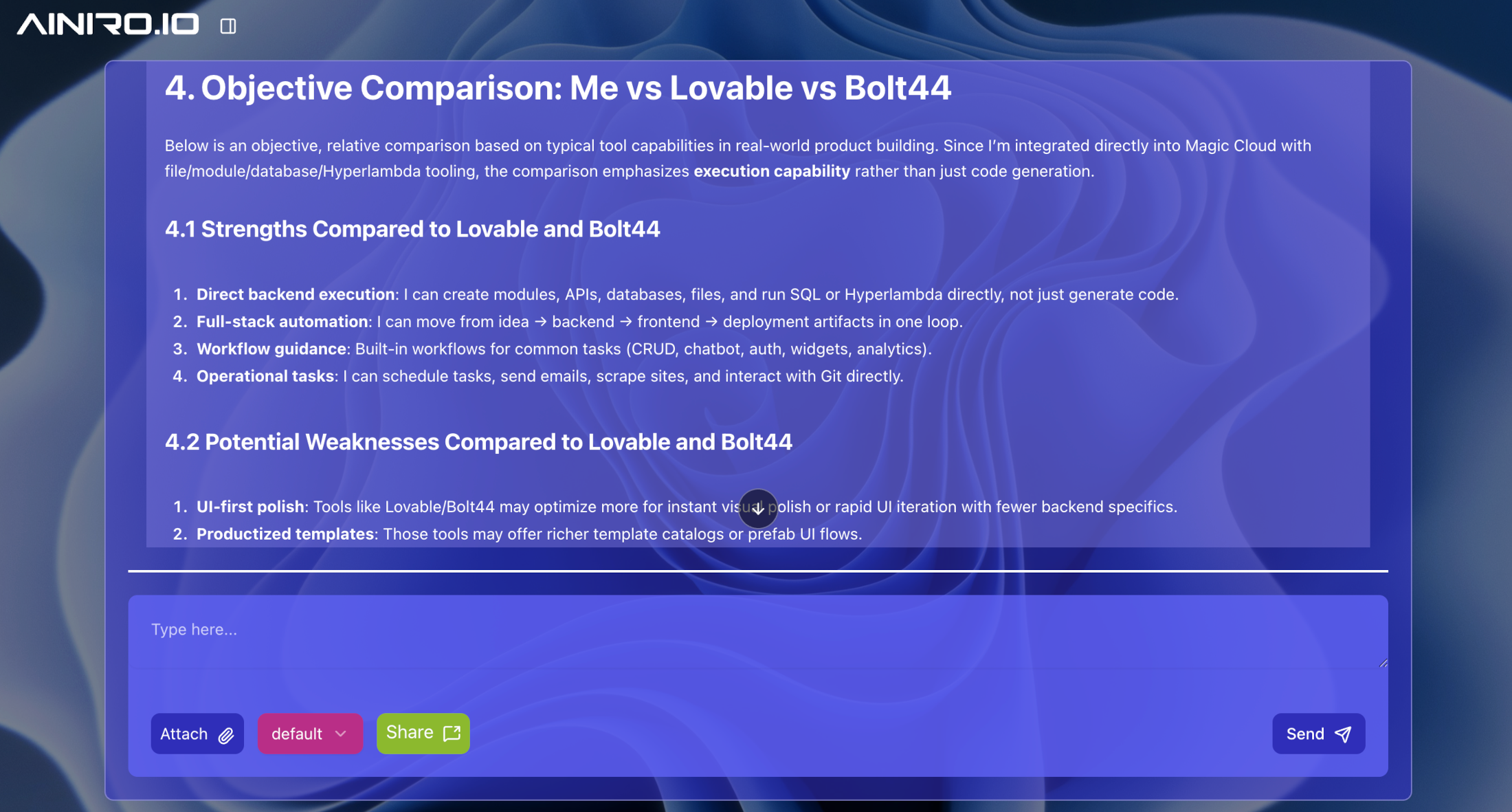
How is this different from Lovable or Bolt? They generate a frontend and hand the backend to a third-party service. Magic generates and runs the whole backend, needs no deployment step before you can test, and is yours to self-host under MIT.
What database does it use? SQLite out of the box, with full support for MySQL, PostgreSQL, MariaDB and SQL Server. No connectors required.
Do I have to learn Hyperlambda? No. The generator writes it from plain English, and the dashboard's prompt bars cover most workflows. Reading Hyperlambda is much easier than writing it.
What happens if AINIRO disappears? Everything you've generated keeps running — it's MIT-licensed code on your hardware. You'd only lose the ability to generate new code with the hosted generator.
Is AI-generated code safe to execute? That's the point of the security model: Hyperlambda is sandboxed and its vocabulary can be whitelisted per role, so generated code can only invoke functions you explicitly allowed.
magic是一个高质量的AI驱动自动化软件开发助手
- 需要让 Claude / Cursor 操作本地工具的 AI 工程师
- 构建多智能体协作系统的 Agent 开发者
- 构建企业知识库 / RAG 检索应用的团队
- 配置 MCP 服务器时建议使用 stdio 传输 + JSON-RPC,避免暴露公网
- 生产部署优先使用 Docker Compose 隔离依赖,并挂载 volume 持久化数据
- 本地部署优先选 GGUF 量化模型,节省显存并保持响应速度
- Agent 任务先做 dry-run 验证工具调用链,再开启自主执行
- API key 直接提交到 git 仓库(请用 .env 并加入 .gitignore)
- MCP 配置路径拼错或权限不足,重启 Claude Desktop 才生效
- 容器内无法访问宿主机 localhost — 使用 host.docker.internal
- 显存不足直接 OOM — 优先降低 context 或换更小的量化模型
- Docker:magic 提供官方镜像,docker compose up 一键启动
- CLI:直接 npm install -g / pip install,命令行调用
- 本地部署:CPU 8GB 起,GPU 推荐 16GB+ 显存
- 云端托管:可放在 Vercel / Railway / Fly.io 等 PaaS 平台
⚡ 核心功能
- 通过标准 MCP 协议与 Claude、Cursor 等主流 AI 客户端深度集成
- 提供结构化工具调用接口,显著降低 AI 集成复杂度
- 支持 Claude Desktop 和 Claude Code 无缝接入,开箱即用
- 可与其他 MCP 工具组合叠加,构建完整 AI 工作站
- 轻量无侵入设计,不影响现有系统架构
- 需要让 Claude / Cursor 操作本地工具的 AI 工程师
- 构建多智能体协作系统的 Agent 开发者
- 构建企业知识库 / RAG 检索应用的团队
- 配置 MCP 服务器时建议使用 stdio 传输 + JSON-RPC,避免暴露公网
- 生产部署优先使用 Docker Compose 隔离依赖,并挂载 volume 持久化数据
- 本地部署优先选 GGUF 量化模型,节省显存并保持响应速度
- Agent 任务先做 dry-run 验证工具调用链,再开启自主执行
- API key 直接提交到 git 仓库(请用 .env 并加入 .gitignore)
- MCP 配置路径拼错或权限不足,重启 Claude Desktop 才生效
- 容器内无法访问宿主机 localhost — 使用 host.docker.internal
- 显存不足直接 OOM — 优先降低 context 或换更小的量化模型
👥 适合人群
🎯 使用场景
- 在 Claude Desktop 对话中直接调用本地工具,实现 AI 与系统的深度联动
- 通过自然语言驱动复杂的多步骤自动化任务,代替繁琐手动操作
- 将多个 MCP 工具组合使用,构建个人专属 AI 工作站
⚖️ 优点与不足
- +MIT 协议,可免费商用
- +标准化 MCP 协议,生态互联性强
- +与 Claude 官方生态无缝对接
- +即插即用,配置简单快捷
- −依赖 Claude 客户端,非 Claude 用户无法使用
- −MCP 协议仍在持续演进,接口可能变更
- −需要一定的配置步骤
AI Skill Hub 为第三方内容聚合平台,本页面信息基于公开数据整理,不对工具功能和质量作任何法律背书。
建议在沙箱或测试环境中充分验证后,再部署至生产环境,并做好必要的安全评估。
✅ MIT 协议 — 最宽松的开源协议之一,可自由商用、修改、分发,仅需保留版权声明。
🔗 相关工具推荐
❓ 常见问题 FAQ
经综合评估,魔术助手 在MCP工具赛道中表现稳健,质量优秀。如果你已有明确的使用需求,可以直接上手体验;如果还在评估阶段,建议对比同类工具后再做决策。
| 原始名称 | magic |
| 原始描述 | 开源MCP工具:Fully Autonomous AI-based Software Development Assistant。⭐1.1k · C# |
| Topics | aiautomationlow-code |
| GitHub | https://github.com/polterguy/magic |
| License | MIT |
| 语言 | C# |
收录时间:2026-06-28 · 更新时间:2026-07-03 · License:MIT · AI Skill Hub 不对第三方内容的准确性作法律背书。