印度地理数据
AI Skill Hub 强烈推荐:印度地理数据 是一款优质的MCP工具。AI 综合评分 8.0 分,在同类工具中表现稳健。如果你正在寻找可靠的MCP工具解决方案,这是一个值得深入了解的选择。
📚 深度解析
通过安装 印度地理数据,你的 AI 助手将获得额外的工具调用能力,可以用自然语言直接操控该工具的功能,无需学习复杂的命令行语法。MCP 工具的核心价值在于"一次配置,永久增强"——配置完成后,每次与 AI 对话时都可以无缝调用这些工具。
在技术实现上,MCP 工具通过标准的 JSON-RPC 协议与 AI 客户端通信,工具的功能以"工具列表"的形式暴露给 AI 模型,AI 可以按需调用。印度地理数据 提供了结构化的工具调用接口,使 AI 模型能够精确地理解和使用每个功能点,显著降低 AI 在工具使用上的错误率。
与传统的 API 集成相比,MCP 工具的优势在于无需编写代码——用户只需在配置文件中添加几行 JSON,即可让 AI 获得全新能力。AI Skill Hub 将 印度地理数据 评为 AI 评分 8.0 分,属于同类工具中的优质选择。
📋 工具概览
印度地理数据 是一款遵循 MCP(Model Context Protocol)标准协议的 AI 工具扩展。通过 MCP 协议,它可以让 Claude、Cursor 等主流 AI 客户端直接访问和操作外部工具、数据源和服务,实现 AI 能力的无缝扩展。无论是文件操作、数据库查询还是 API 调用,都可以通过自然语言在 AI 对话中直接触发,极大提升生产效率。
📖 中文文档
印度地理数据 是一款遵循 MCP(Model Context Protocol)标准协议的 AI 工具扩展。通过 MCP 协议,它可以让 Claude、Cursor 等主流 AI 客户端直接访问和操作外部工具、数据源和服务,实现 AI 能力的无缝扩展。无论是文件操作、数据库查询还是 API 调用,都可以通过自然语言在 AI 对话中直接触发,极大提升生产效率。
- 通过标准 MCP 协议与 Claude、Cursor 等主流 AI 客户端深度集成
- 提供结构化工具调用接口,显著降低 AI 集成复杂度
- 支持 Claude Desktop 和 Claude Code 无缝接入,开箱即用
- 可与其他 MCP 工具组合叠加,构建完整 AI 工作站
- 轻量无侵入设计,不影响现有系统架构
- 在 Claude Desktop 对话中直接调用本地工具,实现 AI 与系统的深度联动
- 通过自然语言驱动复杂的多步骤自动化任务,代替繁琐手动操作
- 将多个 MCP 工具组合使用,构建个人专属 AI 工作站
# 方式一:通过 Claude Code CLI 一键安装
claude skill install https://github.com/urbanmorph/geodata

# 方式二:手动配置 claude_desktop_config.json
{
  "mcpServers": {
    "------": {
      "command": "npx",
      "args": ["-y", "geodata"]
    }
  }
}

# 配置文件位置
# macOS: ~/Library/Application Support/Claude/claude_desktop_config.json
# Windows: %APPDATA%/Claude/claude_desktop_config.json
- 确认已安装 Node.js(v18 或以上版本)
- 打开 Claude Desktop 或 Claude Code 的 MCP 配置文件
- 按「交给 Agent 安装 → Claude Desktop」标签中的 JSON 配置填入 mcpServers 字段
- 保存配置文件并重启 Claude 客户端
- 重启后,在对话中即可使用本工具
# 安装后在 Claude 对话中直接使用
# 示例:
用户: 请帮我用 印度地理数据 执行以下任务...
Claude: [自动调用 印度地理数据 MCP 工具处理请求]

# 查看可用工具列表
# 在 Claude 中输入:"列出所有可用的 MCP 工具"
// claude_desktop_config.json 配置示例
{
  "mcpServers": {
    "______": {
      "command": "npx",
      "args": ["-y", "geodata"],
      "env": {
        // "API_KEY": "your-api-key-here"
      }
    }
  }
}

// 保存后重启 Claude Desktop 生效
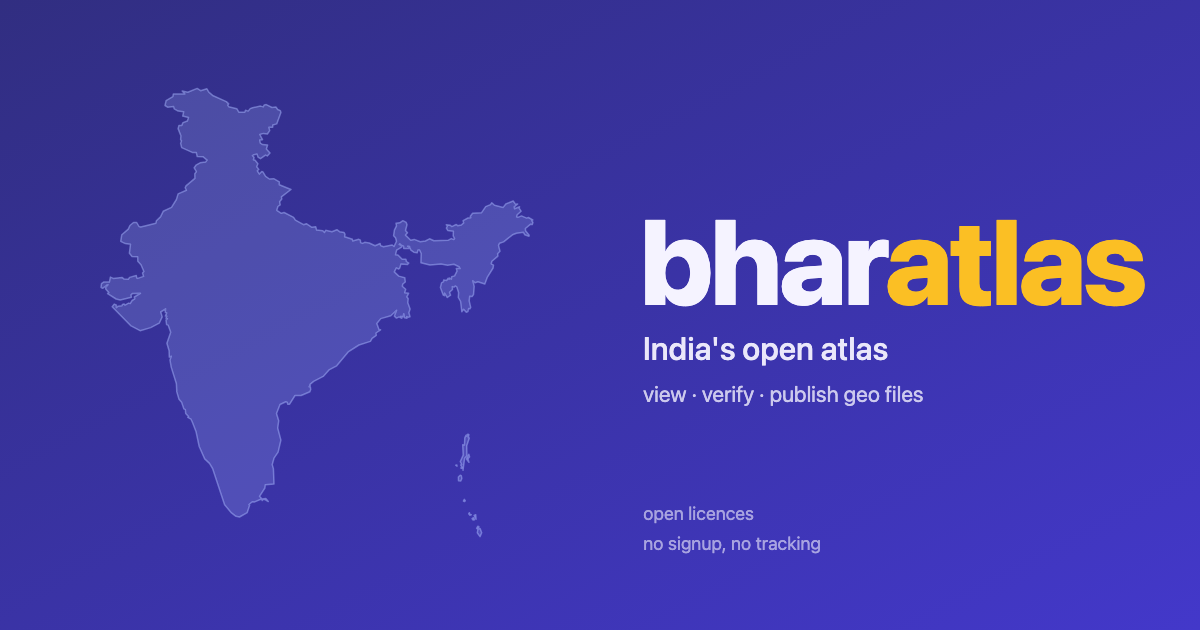
bharatlas





A visual catalog, REST API, MCP server, drag-drop verifier, anonymous contribution flow, and a mobile crowd map-capture tool (collect) for India's geo data. Admin boundaries from state to village, plus community-submitted layers under open licences.
Live: https://bharatlas.com · collect at https://collect.bharatlas.com
- Catalog – India national boundary (LGD-dissolved), plus state · district · subdistrict · block · village (LGD), cross-source alternates (SOI · Bhuvan · geoBoundaries · PMGSY per level, click "also: ..." on any card), city wards across Indian cities, electoral constituencies, wildlife, eco-zones, and 63k pincode polygons (bharatviz).
- Download – whole layer as Parquet · PMTiles · GeoJSON · KML · Shapefile, direct from the card.
- Filter & slice – dynamic facets / range / typeahead search per layer schema; export the slice in any format above.
- Preview – drop GeoJSON · KML · KMZ · GPX · TCX · Parquet, render + validate, optional Publish.
- View (
/view/<id>) – curated layer with per-layer OG card. - Community view (
/c/<id>) – community submission, edge-rendered HTML, 👍 useful vote, per-submission OG card. - Embed (
/embed/<id>) – iframe + PNG export from any map. - Collect (collect.bharatlas.com) – mobile crowd map-capture. Design a small form, share a link, and anyone with it plots points, lines and areas from their phone with no account. Review contributions, then download or publish to the catalog. Token-scoped (view / collect / admin), like mdshare.
- API (
/api/v1) – REST list, query, filter, group_by (with per-group sums) any layer; locate (point-in-polygon across all layers); nearby (features within a radius, ranked by distance from parquet bounding boxes). Plus a token-authed collect write API atcollect.bharatlas.com/api/collect/v1. - MCP (
npx bharatlas-mcp) – 17 tools for LLMs. Read (list, schema, query, locate, nearby, categories, submissions, downloads) + collect authoring (register a map share link, moderate, import, publish). Also shipped as a Claude Code plugin.
What's in this repo
web/– Vanilla TypeScript + Vite viewer + Cloudflare Pages Functions (web/functions/).collect/– the collect crowd map-capture app (collect.bharatlas.com) + its token-authed Pages Functions API (collect/functions/). Deploys as a separate Pages project.web/migrations/– D1 SQL migrations: submissions, tokens, ratings, votes, originals.web/tests/– vitest unit tests for pure functions (validators, tokens, view rendering, votes).scripts/fetch.sh– Pulls parquets + PMTiles from yashveeeeeeer/india-geodata releases.scripts/extract_per_state.py– Slices pan-India parquets into per-state GeoJSON via DuckDB-spatial.scripts/bake_whole_layer.py– Bakes whole-layer GeoJSON / KML / Shapefile per curated layer (parquet ≤ 100 MB).scripts/upload_r2.sh– Mirrorssources/+data/to Cloudflare R2 via wrangler.scripts/upload_baked.py– Pushesdata/baked/*to R2 via boto3 (S3-compat fallback when wrangler is unavailable).scripts/admin/cleanup_submission.sh– Delete community submissions by name pattern (R2 + D1).mcp/– MCP server for LLMs (npm, registry). 17 tools: read (list, schema, query, locate, nearby, categories, submissions, downloads) + collect authoring (register_map, get/list records, moderate, import, edit, publish).plugins/claude-code/+.claude-plugin/marketplace.json– the Claude Code plugin that ships the MCP with auto-updates (/plugin marketplace add urbanmorph/geodata).catalog.json– Curated-layer index used by the viewer. Single source of truth.- /about#caveats – Data caveats (cross-source drift, coverage gaps, precision).
Large data files (sources/, data/) are not in git. They live in R2. See scripts/fetch.sh to rebuild locally.
nearest features within a radius
curl 'https://bharatlas.com/api/v1/nearby?lat=12.9716&lng=77.5946&layer=nic_health&radius_km=10'
MCP for LLMs (Claude, GPT, Gemini, Cursor): one-line install, 17 tools (read + collect authoring). Setup at [bharatlas.com/mcp](https://bharatlas.com/mcp). Read tools need no auth; collect authoring acts only on maps whose share link you register.
Claude Desktop / other clients (claude_desktop_config.json)
{ "mcpServers": { "bharatlas": { "command": "npx", "args": ["bharatlas-mcp"] } } } ```
API in 30 seconds
REST: https://bharatlas.com/api/v1 (no API key, rate-limited per IP). Full docs at bharatlas.com/docs.
```bash
Claude Code (as a plugin, auto-updates)
/plugin marketplace add urbanmorph/geodata /plugin install bharatlas@bharatlas
高质量的开源地理数据可视化工具
- 需要让 Claude / Cursor 操作本地工具的 AI 工程师
- 配置 MCP 服务器时建议使用 stdio 传输 + JSON-RPC,避免暴露公网
- API key 直接提交到 git 仓库(请用 .env 并加入 .gitignore)
- MCP 配置路径拼错或权限不足,重启 Claude Desktop 才生效
- 云端托管:可放在 Vercel / Railway / Fly.io 等 PaaS 平台
⚡ 核心功能
- 通过标准 MCP 协议与 Claude、Cursor 等主流 AI 客户端深度集成
- 提供结构化工具调用接口,显著降低 AI 集成复杂度
- 支持 Claude Desktop 和 Claude Code 无缝接入,开箱即用
- 可与其他 MCP 工具组合叠加,构建完整 AI 工作站
- 轻量无侵入设计,不影响现有系统架构
- 需要让 Claude / Cursor 操作本地工具的 AI 工程师
- 配置 MCP 服务器时建议使用 stdio 传输 + JSON-RPC,避免暴露公网
- API key 直接提交到 git 仓库(请用 .env 并加入 .gitignore)
- MCP 配置路径拼错或权限不足,重启 Claude Desktop 才生效
👥 适合人群
🎯 使用场景
- 在 Claude Desktop 对话中直接调用本地工具,实现 AI 与系统的深度联动
- 通过自然语言驱动复杂的多步骤自动化任务,代替繁琐手动操作
- 将多个 MCP 工具组合使用,构建个人专属 AI 工作站
⚖️ 优点与不足
- +MIT 协议,可免费商用
- +标准化 MCP 协议,生态互联性强
- +与 Claude 官方生态无缝对接
- +即插即用,配置简单快捷
- −依赖 Claude 客户端,非 Claude 用户无法使用
- −MCP 协议仍在持续演进,接口可能变更
- −需要一定的配置步骤
AI Skill Hub 为第三方内容聚合平台,本页面信息基于公开数据整理,不对工具功能和质量作任何法律背书。
建议在沙箱或测试环境中充分验证后,再部署至生产环境,并做好必要的安全评估。
✅ MIT 协议 — 最宽松的开源协议之一,可自由商用、修改、分发,仅需保留版权声明。
🔗 相关工具推荐
❓ 常见问题 FAQ
总体来看,印度地理数据 是一款质量优秀的MCP工具,在同类工具中具备一定竞争力。AI Skill Hub 将持续追踪其更新动态,建议收藏备用,结合自身场景选择合适时机引入使用。
| 原始名称 | geodata |
| 原始描述 | 开源MCP工具:Lightweight open-source visualiser for India admin boundaries — pick a layer, vi。⭐36 · TypeScript |
| Topics | geospatialgisindiamapstypescript |
| GitHub | https://github.com/urbanmorph/geodata |
| License | MIT |
| 语言 | TypeScript |
收录时间:2026-06-19 · 更新时间:2026-06-20 · License:MIT · AI Skill Hub 不对第三方内容的准确性作法律背书。