设计系统提取
AI Skill Hub 强烈推荐:设计系统提取 是一款优质的MCP工具。已获得 1.9k 颗 GitHub Star,AI 综合评分 8.0 分,在同类工具中表现稳健。如果你正在寻找可靠的MCP工具解决方案,这是一个值得深入了解的选择。
📚 深度解析
通过安装 设计系统提取,你的 AI 助手将获得额外的工具调用能力,可以用自然语言直接操控该工具的功能,无需学习复杂的命令行语法。MCP 工具的核心价值在于"一次配置,永久增强"——配置完成后,每次与 AI 对话时都可以无缝调用这些工具。
在技术实现上,MCP 工具通过标准的 JSON-RPC 协议与 AI 客户端通信,工具的功能以"工具列表"的形式暴露给 AI 模型,AI 可以按需调用。设计系统提取 提供了结构化的工具调用接口,使 AI 模型能够精确地理解和使用每个功能点,显著降低 AI 在工具使用上的错误率。
与传统的 API 集成相比,MCP 工具的优势在于无需编写代码——用户只需在配置文件中添加几行 JSON,即可让 AI 获得全新能力。AI Skill Hub 将 设计系统提取 评为 AI 评分 8.0 分,属于同类工具中的优质选择。
📋 工具概览
设计系统提取 是一款遵循 MCP(Model Context Protocol)标准协议的 AI 工具扩展。通过 MCP 协议,它可以让 Claude、Cursor 等主流 AI 客户端直接访问和操作外部工具、数据源和服务,实现 AI 能力的无缝扩展。无论是文件操作、数据库查询还是 API 调用,都可以通过自然语言在 AI 对话中直接触发,极大提升生产效率。
📖 中文文档
设计系统提取 是一款遵循 MCP(Model Context Protocol)标准协议的 AI 工具扩展。通过 MCP 协议,它可以让 Claude、Cursor 等主流 AI 客户端直接访问和操作外部工具、数据源和服务,实现 AI 能力的无缝扩展。无论是文件操作、数据库查询还是 API 调用,都可以通过自然语言在 AI 对话中直接触发,极大提升生产效率。
- 通过标准 MCP 协议与 Claude、Cursor 等主流 AI 客户端深度集成
- 提供结构化工具调用接口,显著降低 AI 集成复杂度
- 支持 Claude Desktop 和 Claude Code 无缝接入,开箱即用
- 可与其他 MCP 工具组合叠加,构建完整 AI 工作站
- 轻量无侵入设计,不影响现有系统架构
- 在 Claude Desktop 对话中直接调用本地工具,实现 AI 与系统的深度联动
- 通过自然语言驱动复杂的多步骤自动化任务,代替繁琐手动操作
- 将多个 MCP 工具组合使用,构建个人专属 AI 工作站
# 方式一:通过 Claude Code CLI 一键安装
claude skill install https://github.com/dembrandt/dembrandt

# 方式二:手动配置 claude_desktop_config.json
{
  "mcpServers": {
    "------": {
      "command": "npx",
      "args": ["-y", "dembrandt"]
    }
  }
}

# 配置文件位置
# macOS: ~/Library/Application Support/Claude/claude_desktop_config.json
# Windows: %APPDATA%/Claude/claude_desktop_config.json
- 确认已安装 Node.js(v18 或以上版本)
- 打开 Claude Desktop 或 Claude Code 的 MCP 配置文件
- 按「交给 Agent 安装 → Claude Desktop」标签中的 JSON 配置填入 mcpServers 字段
- 保存配置文件并重启 Claude 客户端
- 重启后,在对话中即可使用本工具
# 安装后在 Claude 对话中直接使用
# 示例:
用户: 请帮我用 设计系统提取 执行以下任务...
Claude: [自动调用 设计系统提取 MCP 工具处理请求]

# 查看可用工具列表
# 在 Claude 中输入:"列出所有可用的 MCP 工具"
// claude_desktop_config.json 配置示例
{
  "mcpServers": {
    "______": {
      "command": "npx",
      "args": ["-y", "dembrandt"],
      "env": {
        // "API_KEY": "your-api-key-here"
      }
    }
  }
}

// 保存后重启 Claude Desktop 生效
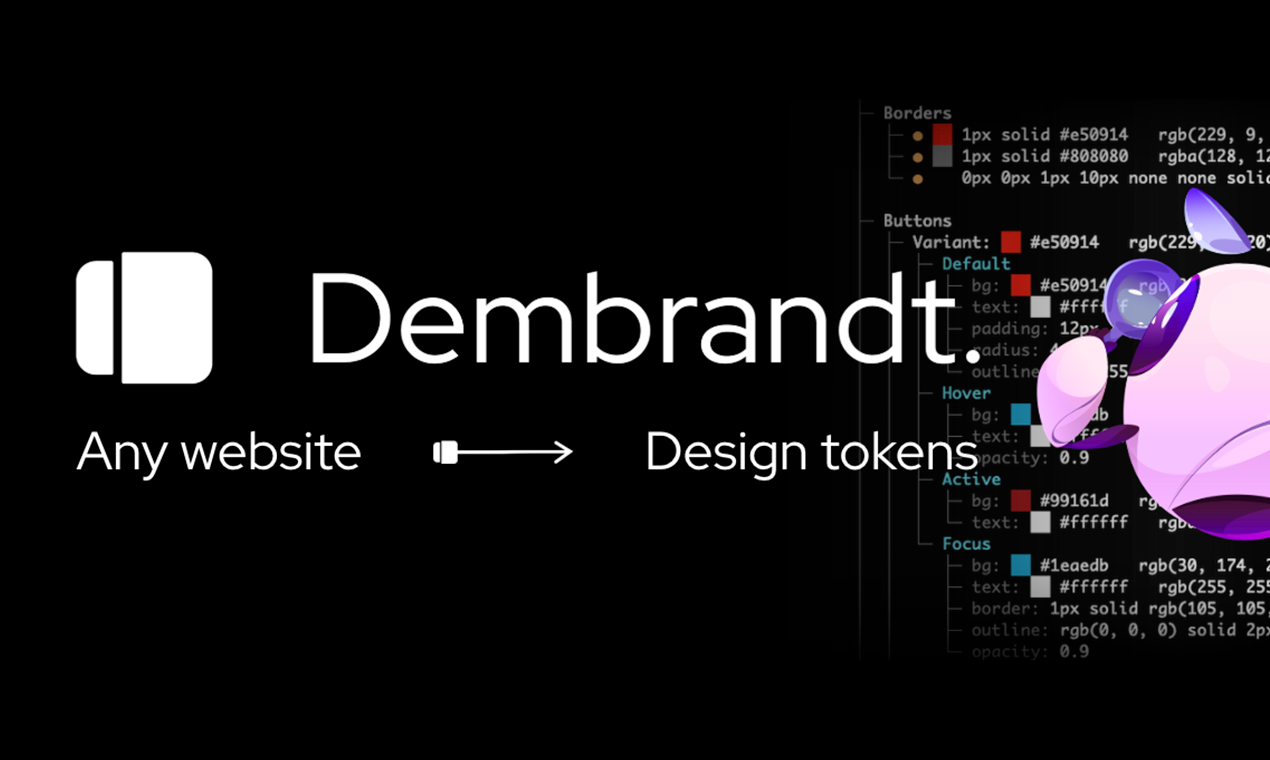
Dembrandt.





Extract any website's design system in one command. Enforce it in CI.
Logo, colors, typography, spacing, borders, shadows, motion, components. W3C design tokens in seconds.
Install
npm install -g dembrandt
dembrandt install-browser        # one-time: fetches the matching Chromium
dembrandt dembrandt.com
The browser step is required. dembrandt drives Chromium through playwright-core, which ships no browser binaries, so a fresh install has nothing to launch until you run it. Skipping it fails with browser engine not available.
Or use npx without installing: npx dembrandt dembrandt.com. The browser step applies here too: run npx dembrandt install-browser first. Browsers land in a shared Playwright cache, so either route only needs it once.
Requires Node.js 18+
Or install the MCP server straight into your editor and let the agent run it:


AI Agent Integration (MCP)
Use Dembrandt as a tool in Claude Code, Cursor, Windsurf, or any MCP-compatible client. Ask your agent to "extract the color palette from dembrandt.com" and it calls Dembrandt automatically.
Per-client setup, environment variables and the full tool list: docs/mcp.md and dembrandt.com/mcp.
claude mcp add --transport stdio dembrandt -- npx -y dembrandt mcpThe server is listed in the MCP Registry as io.github.dembrandt/dembrandt, so a client that reads the registry can install it by name.
Or add to your project's .mcp.json:
{
  "mcpServers": {
    "dembrandt": {
      "command": "npx",
      "args": ["-y", "dembrandt", "mcp"]
    }
  }
}
Available tools include get_design_tokens, get_color_palette, get_typography, get_component_styles, get_surfaces, get_spacing, and get_brand_identity, plus pure analysis tools (compute_drift, get_findings, export_dtcg, generate_design_md, render_report) and job-control tools.
Extraction tools accept slow, mobile, darkMode, wcag, cookie, cookieFile, basicAuth and header (for authenticated pages), userAgent, and noSandbox (Docker and most CI containers). Interactive --login stays CLI-only. Set pages above 1 to crawl and merge several pages, which produces a markedly stronger token set than one page; paths names them explicitly and sitemap discovers them from sitemap.xml.
Extraction returns a job_id. Poll it with get_job_status, then hand that same id to the pure tools instead of passing the extraction back as an argument:
get_design_tokens(url: "example.com", pages: 5)  ->  job_id
get_job_status(job_id)                           ->  tokens
get_findings(job_id)                             ->  contrast and consistency issues
export_dtcg(job_id)                              ->  W3C design tokens
Pair with dembrandt-skills to give your agent UX intelligence on top of extracted tokens: hierarchy, accessibility, interaction states, and a full 6-stage design pipeline orchestrator.
npx skills add dembrandt/dembrandt-skillsDembrandt 是一个高效的设计系统提取工具,能够在几秒钟内自动从目标网站中提取设计令牌(Design Tokens),包括 Logo、颜色、字体、间距、圆角及阴影等关键视觉元素。它旨在帮助开发者和设计师快速复现网页的设计规范,实现从视觉到代码的无缝转换。
您可以通过 npm 全局安装 Dembrandt:执行 `npm install -g dembrandt`。此外,也可以直接使用 npx 命令无需安装即可运行:`npx dembrandt <url>`。请确保您的开发环境已安装 Node.js 18 或更高版本。在 CI/CD 或无头(headless)环境中运行时,建议添加 `--no-sandbox` 参数以确保稳定性。
Dembrandt 支持多种命令行模式。基础用法为 `dembrandt <url>`,直接在终端显示提取结果;使用 `--json-only` 可仅输出原始 JSON 数据;若需将结果保存至本地文件,请添加 `--save-output` 参数。特别推荐使用 `--dtcg` 模式,它会按照 W3C Design Tokens (DTCG) 标准导出 `.tokens.json` 文件,方便与 Style Dictionary 等工具集成。此外,您还可以通过 `--dark-mode` 专门提取深色模式下的设计数据。
Dembrandt 导出的 DTCG 格式遵循行业标准 JSON Schema,可直接被 Style Dictionary 等转换库消费,用于生成 Tailwind CSS 或其他样式配置。对于需要对接设计工具的用户,可以通过 `--dtcg --save-output` 模式生成可供 Tokens Studio 或 Figma 使用的配置文件。生成的 Markdown 报告(DESIGN.md)会包含详细的 YAML 前置数据,确保设计上下文的可读性。
Dembrandt 提供灵活的页面发现机制。默认情况下,它会通过 DOM 链接进行抓取,但您也可以通过添加 `--sitemap` 参数,指定使用 `sitemap.xml` 进行页面发现,从而提高在复杂站点中提取数据的准确性与效率。
Dembrandt 已深度集成 AI Agent 工作流。通过 MCP(Model Context Protocol),您可以将 Dembrandt 作为工具直接接入 Claude Code、Cursor、Windsurf 或任何兼容 MCP 的客户端中。只需向 AI Agent 下达指令(如“提取 example.com 的配色方案”),Agent 就会自动调用 Dembrandt 完成任务,实现从自然语言指令到设计数据提取的自动化闭环。
高效的设计系统提取工具
- 需要让 Claude / Cursor 操作本地工具的 AI 工程师
- 构建多智能体协作系统的 Agent 开发者
- 配置 MCP 服务器时建议使用 stdio 传输 + JSON-RPC,避免暴露公网
- 生产部署优先使用 Docker Compose 隔离依赖,并挂载 volume 持久化数据
- Agent 任务先做 dry-run 验证工具调用链,再开启自主执行
- API key 直接提交到 git 仓库(请用 .env 并加入 .gitignore)
- MCP 配置路径拼错或权限不足,重启 Claude Desktop 才生效
- 容器内无法访问宿主机 localhost — 使用 host.docker.internal
- Docker:dembrandt 提供官方镜像,docker compose up 一键启动
- CLI:直接 npm install -g / pip install,命令行调用
- 云端托管:可放在 Vercel / Railway / Fly.io 等 PaaS 平台
⚡ 核心功能
- 通过标准 MCP 协议与 Claude、Cursor 等主流 AI 客户端深度集成
- 提供结构化工具调用接口,显著降低 AI 集成复杂度
- 支持 Claude Desktop 和 Claude Code 无缝接入,开箱即用
- 可与其他 MCP 工具组合叠加,构建完整 AI 工作站
- 轻量无侵入设计,不影响现有系统架构
- 需要让 Claude / Cursor 操作本地工具的 AI 工程师
- 构建多智能体协作系统的 Agent 开发者
- 配置 MCP 服务器时建议使用 stdio 传输 + JSON-RPC,避免暴露公网
- 生产部署优先使用 Docker Compose 隔离依赖,并挂载 volume 持久化数据
- Agent 任务先做 dry-run 验证工具调用链,再开启自主执行
- API key 直接提交到 git 仓库(请用 .env 并加入 .gitignore)
- MCP 配置路径拼错或权限不足,重启 Claude Desktop 才生效
- 容器内无法访问宿主机 localhost — 使用 host.docker.internal
👥 适合人群
🎯 使用场景
- 在 Claude Desktop 对话中直接调用本地工具,实现 AI 与系统的深度联动
- 通过自然语言驱动复杂的多步骤自动化任务,代替繁琐手动操作
- 将多个 MCP 工具组合使用,构建个人专属 AI 工作站
⚖️ 优点与不足
- +MIT 协议,可免费商用
- +标准化 MCP 协议,生态互联性强
- +与 Claude 官方生态无缝对接
- +即插即用,配置简单快捷
- −依赖 Claude 客户端,非 Claude 用户无法使用
- −MCP 协议仍在持续演进,接口可能变更
- −需要一定的配置步骤
AI Skill Hub 为第三方内容聚合平台,本页面信息基于公开数据整理,不对工具功能和质量作任何法律背书。
建议在沙箱或测试环境中充分验证后,再部署至生产环境,并做好必要的安全评估。
✅ MIT 协议 — 最宽松的开源协议之一,可自由商用、修改、分发,仅需保留版权声明。
❓ 常见问题 FAQ
总体来看,设计系统提取 是一款质量优秀的MCP工具,在同类工具中具备一定竞争力。AI Skill Hub 将持续追踪其更新动态,建议收藏备用,结合自身场景选择合适时机引入使用。
| 原始名称 | dembrandt |
| 原始描述 | 开源MCP工具:Extract any website’s design system into tokens in seconds: logo, colors, typogr。⭐1.9k · JavaScript |
| Topics | mcp设计系统cssjavascript |
| GitHub | https://github.com/dembrandt/dembrandt |
| License | MIT |
| 语言 | JavaScript |
收录时间:2026-05-31 · 更新时间:2026-05-31 · License:MIT · AI Skill Hub 不对第三方内容的准确性作法律背书。