LLM检查工具
LLM检查工具 是 AI Skill Hub 本期精选AI工具之一。已获得 2.7k 颗 GitHub Star,综合评分 7.5 分,整体质量较高。我们推荐使用将其纳入你的 AI 工具库,帮助提升工作效率。
📚 深度解析
**为什么要使用开源工具而非商业 SaaS?**
对于个人开发者和有隐私需求的用户,本地部署的开源工具意味着数据不离本机,不受第三方服务商的数据政策约束。同时,开源工具通常没有使用次数限制和月度费用,一次安装即可长期使用,对于高频使用场景的总拥有成本(TCO)远低于订阅制商业工具。
**安装与环境准备**
LLM检查工具 依赖 JavaScript 运行环境。建议通过 pyenv(Python)或 nvm(Node.js)管理 JavaScript 版本,避免全局环境污染。对于新手用户,推荐先创建虚拟环境(python -m venv venv && source venv/bin/activate),再安装依赖,这样即使出现问题也可以随时删除虚拟环境重新开始,不影响系统稳定性。
**社区与维护**
GitHub Issue 和 Discussion 是获取帮助的最快渠道。在提问前建议先检查 Closed Issues(已关闭的问题),大多数常见问题都已有解答。遇到 Bug 时,提供 pip list 的输出、完整错误堆栈和最小可复现示例,能显著提高开发者响应速度。AI Skill Hub 将持续追踪 LLM检查工具 的版本更新,及时通知重要功能变化。
📋 工具概览
LLM检查工具 是一款基于 JavaScript 开发的开源工具,专注于 AI、LLM、硬件扫描 等核心功能。作为 GitHub 开源项目,它拥有活跃的社区支持和持续的版本迭代,代码完全透明可审计,支持本地部署以保护数据隐私。无论是个人使用还是集成到企业工作流,都能提供稳定可靠的解决方案。
📖 中文文档
LLM检查工具 是一款基于 JavaScript 开发的开源工具,专注于 AI、LLM、硬件扫描 等核心功能。作为 GitHub 开源项目,它拥有活跃的社区支持和持续的版本迭代,代码完全透明可审计,支持本地部署以保护数据隐私。无论是个人使用还是集成到企业工作流,都能提供稳定可靠的解决方案。
- 开源免费,支持本地部署,数据完全自主可控
- 活跃的 GitHub 开源社区,持续迭代更新
- 提供详细文档和使用示例,新手友好
- 支持自定义配置,灵活适配不同使用环境
- 可作为基础组件集成进现有技术栈或进行二次开发
- 本地部署运行,保护数据隐私,满足合规要求
- 自定义集成到现有系统,扩展技术栈能力
- 作为开源基础组件进行商业化二次开发
# 方式一:npm 全局安装
npm install -g llm-checker

# 方式二:npx 直接运行(无需安装)
npx llm-checker --help

# 方式三:项目依赖安装
npm install llm-checker

# 方式四:从源码运行
git clone https://github.com/Pavelevich/llm-checker
cd llm-checker
npm install
npm start
- 访问 GitHub 仓库页面
- 按照 README 文档完成依赖安装
- 根据系统环境完成初始化配置
- 参考官方示例或文档开始使用
- 遇到问题可在 GitHub Issues 中查找解答
# 命令行使用
llm-checker --help

# 基本用法
llm-checker [options] <input>

# Node.js 代码中使用
const llm_checker = require('llm-checker');

const result = await llm_checker.run(options);
console.log(result);
# llm-checker 配置说明
# 查看配置选项
llm-checker --config-example > config.yml

# 常见配置项
# output_dir: ./output
# log_level: info
# workers: 4

# 环境变量(覆盖配置文件)
export LLM_CHECKER_CONFIG="/path/to/config.yml"
LLM Checker
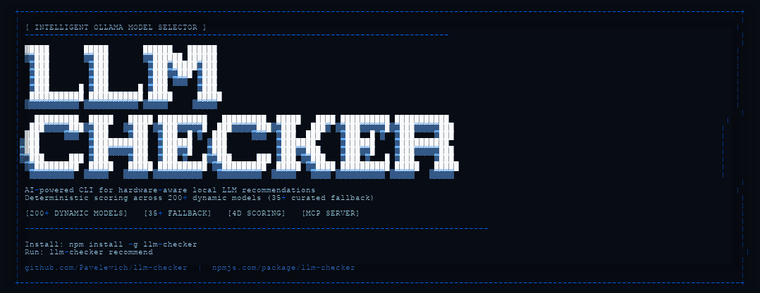
Intelligent Ollama Model Selector
AI-powered CLI that analyzes your hardware and recommends optimal LLM models. Deterministic scoring across a packaged multi-source registry (Hugging Face + Ollama + GPT4All, 33k+ exact artifacts) and the Ollama catalog, with live sync, runtime targeting, and hardware-calibrated memory estimation.





Start Here • Installation • Quick Start • Calibration Quick Start • Docs • Claude MCP • Commands • Scoring • Hardware • Discord
---
Features
| Feature | Description | |
|---|---|---|
| **200+** | Packaged Model Catalog | Ships with a synced Ollama SQLite catalog and can refresh from Ollama on demand |
| **33k+** | Multi-Source Registry | Exact installable/downloadable artifacts from Hugging Face, Ollama, and GPT4All with per-source commands and runtime targeting |
| **4D** | Scoring Engine | Quality, Speed, Fit, Context — weighted by use case |
| **Multi-GPU** | Hardware Detection | Apple Silicon, NVIDIA CUDA, AMD ROCm, Intel Arc, CPU, integrated/dedicated inventory visibility |
| **Calibrated** | Memory Estimation | Bytes-per-parameter formula validated against real Ollama sizes |
| **Zero** | Native Dependencies | Pure JavaScript — works on any supported Node.js 18+ system |
| **Live** | AI Run Metrics | ai-run shows response speed in tokens/sec next to model output |
ModelVet credit: The structural verification behindverify,ai-run --verify, structural policy validation, and the MCPverify_modeltool is powered by ModelVet, created by Tetsuo AI. LLM Checker ships its WebAssembly integration under ModelVet's MIT license.
---
v3.7.0 Highlights
- New multi-source model registry: a packaged snapshot of ~33,700 exact installable/downloadable artifacts from Hugging Face, Ollama, and GPT4All, with per-source commands (
hf download ...,ollama pull ...). recommendandchecknow draw candidates from the registry through one canonical deterministic scoring core, with--runtime auto/ollama/vllm/mlx/llama.cpp/transformerstargeting; they fall back to the Ollama catalog when the registry is unavailable.- New
registry-sync,registry-search, andregistry-recommendcommands. - Mixture-of-Experts models are sized by their total parameter count (all experts stay resident under Ollama/Metal/vLLM), so a large MoE can no longer falsely "fit" small hardware.
- Carries the 3.6.1 batch: unified scoring across
check/recommend/smart-recommend(#88), high-end/multi-GPU VRAM detection (#95), MCP server hardening (#97), and the Windows interactive-panel fixes (#86).
v3.5.13 Highlights
- Ships npm packages with a ready-to-use SQLite model catalog:
- 229 Ollama models
- 7176 variants
- real pull counts and
last_updatedmetadata syncrefreshes the local SQLite catalog from Ollama;recommend,list-models,ai-run, andai-checknow prefer that synced catalog instead of stale scraper cache data.- Recommendation normalization was hardened:
- no more
pulls: 0for the full catalog after sync 335mstyle tags are treated as millions, not billions- ambiguous aliases like
latest,small,medium, andlargeare not guessed into fake parameter counts - cloud variants are filtered out of local recommendations
ai-runstreams model responses through Ollama and appends measured tokens/sec so users can compare installed models by real local speed.- The interactive panel no longer asks for optional parameters before every command.
v3.3.0 Highlights
- Calibrated routing is now first-class in
recommendandai-run: --calibrated [file]support with default discovery path.- clear precedence:
--policy>--calibrated> deterministic fallback. - routing provenance output (source, route, selected model).
- New calibration fixtures and end-to-end tests for:
calibrate --policy-out ...→recommend --calibrated ...- Hardened Jetson CUDA detection to avoid false CPU-only fallback.
- Documentation reorganized under
docs/with clearer onboarding paths.
1. Detect your hardware capabilities
llm-checker hw-detect
Installation
```bash
Install globally
npm install -g llm-checker
1) Install
npm install -g llm-checker
Important: Use npm for Latest Builds
If you need the newest release, install from npm (llm-checker), not the scoped GitHub Packages mirror.
If you installed @pavelevich/llm-checker and version looks old:
npm uninstall -g @pavelevich/llm-checker
npm install -g llm-checker@latest
hash -r
llm-checker --version
Optional (Legacy): Install from GitHub Packages
Use this only if you explicitly need GitHub Packages. It may not match npm latest.
```bash
2) Install
npm install -g @pavelevich/llm-checker@latest ```
---
Setup (One Command)
```bash
Install globally first
npm install -g llm-checker
Print (or apply) the setup for your client
llm-checker mcp-setup --client claude # default; claude mcp add ... llm-checker mcp-setup --client codex # ~/.codex/config.toml llm-checker mcp-setup --client grok # ~/.grok/config.toml llm-checker mcp-setup --client kimi # ~/.kimi/mcp.json llm-checker mcp-setup --client cursor # ~/.cursor/mcp.json llm-checker mcp-setup --client windsurf # ~/.codeium/windsurf/mcp_config.json llm-checker mcp-setup --client gemini # ~/.gemini/settings.json llm-checker mcp-setup --client generic # raw mcpServers JSON for any client
`--apply` merges the server entry into the client's config file (existing
content is never clobbered), and `--json` prints the structured snippet for
scripting. `--npx` avoids a global server install by generating the explicit
package-qualified command below (the executable is part of `llm-checker`; there
is no separate `llm-checker-mcp` npm package):
Restart your client and you're done.
Verify every installed model's local blob while ranking them
llm-checker installed --verify llm-checker installed --verify --json
Quick Start
```bash
Calibration Quick Start (10 Minutes)
This path produces both calibration artifacts and verifies calibrated routing in one pass.
Example Prompts
After setup, you can ask your assistant things like:
- "What's the best coding model for my hardware?"
- "Benchmark qwen2.5-coder and show me the tok/s"
- "Compare llama3.2 vs codellama for coding tasks"
- "Clean up my Ollama — what should I remove?"
- "What model should I use for this Rust project?"
- "Optimize my Ollama config for maximum performance"
- "How much RAM is Ollama using right now?"
- "Verify the blob of the model I just downloaded before running it"
Your assistant will automatically call the right tools and give you actionable results.
---
Integration Examples (SIEM / CI Artifacts)
```bash
Scoring Weights by Use Case
Three scoring systems are available, each optimized for different workflows:
Deterministic Selector (primary — used by check and recommend):
| Category | Quality | Speed | Fit | Context |
|---|---|---|---|---|
general | 45% | 35% | 15% | 5% |
coding | 55% | 20% | 15% | 10% |
reasoning | 60% | 10% | 20% | 10% |
multimodal | 50% | 15% | 20% | 15% |
Scoring Engine (used by search for catalog scoring; smart-recommend's final ranking is produced by the shared scoring core — see #96):
| Use Case | Quality | Speed | Fit | Context |
|---|---|---|---|---|
general | 40% | 35% | 15% | 10% |
coding | 55% | 20% | 15% | 10% |
reasoning | 60% | 15% | 10% | 15% |
chat | 40% | 40% | 15% | 5% |
fast | 25% | 55% | 15% | 5% |
quality | 65% | 10% | 15% | 10% |
All weights are centralized in src/models/scoring-config.js.
Examples
Detect your hardware:
llm-checker hw-detectGet recommendations for all categories:
llm-checker recommendFull system analysis with compatible models:
llm-checker checkFind the best coding model:
llm-checker recommend --category codingSearch for small, fast models under 5GB:
llm-checker search "7b" --max-size 5 --use-case fastGet high-quality reasoning models:
llm-checker smart-recommend --use-case reasoning---
1) Use the sample prompt suite
cp ./docs/fixtures/calibration/sample-suite.jsonl ./sample-suite.jsonl1) Configure registry + token (PAT with read:packages)
echo "@pavelevich:registry=https://npm.pkg.github.com" >> ~/.npmrc echo "//npm.pkg.github.com/:_authToken=${GITHUB_TOKEN}" >> ~/.npmrc
Export all configured formats (json, csv, sarif)
llm-checker audit export --policy ./policy.yaml --command check --format all --out-dir ./reports ```
--command check|recommendchooses the candidate source.--format allhonorsreporting.formatsin your policy (falls back tojson,csv,sarif).- In
enforcemode with blocking violations, reports are still written before non-zero exit.
4) Refresh the catalog when you want current Ollama references
llm-checker sync
Interactive CLI Panel
Running llm-checker with no arguments now opens an interactive panel (TTY terminals):
- animated startup banner
- main command list with descriptions
- type
/to open all commands - use up/down arrows to select a command
- press
Enterto execute - add optional extra flags before run (example:
--json --limit 5)
For scripting and automation, direct command invocation remains unchanged:
llm-checker check --use-case coding --limit 3
llm-checker search "qwen coder" --json
---
CI artifact (JSON) for post-processing in pipeline jobs
llm-checker audit export --policy ./policy.yaml --command check --format json --out ./reports/policy-report.json
Flat CSV for SIEM ingestion (Splunk/ELK/DataDog pipelines)
llm-checker audit export --policy ./policy.yaml --command check --format csv --out ./reports/policy-report.csv
SARIF for security/code-scanning tooling integrations
llm-checker audit export --policy ./policy.yaml --command check --format sarif --out ./reports/policy-report.sarif ```
Component Responsibilities
- Input layer: Collects runtime constraints from hardware detection, local inventory, dynamic registry data, and CLI flags.
- Normalization layer: Deduplicates identifiers/tags and builds a canonical candidate set.
- Selection layer: Filters by use case, selects the best fitting quantization, and computes deterministic Q/S/F/C scores.
- Governance layer: Applies policy rules in
auditorenforcemode and records explicit violation metadata. - Output layer: Returns ranked recommendations plus machine-readable compliance artifacts when requested.
Comparison with Other Tooling (e.g. `llmfit`)
LLM Checker and llmfit solve related but different problems:
| Tool | Primary Focus | Typical Output |
|---|---|---|
| **LLM Checker** | Hardware-aware **model selection** for local inference | Ranked recommendations, compatibility scores, pull/run commands |
| **llmfit** | LLM workflow support and model-fit evaluation from another angle | Different optimization workflow and selection heuristics |
If your goal is: "What should I run on this exact machine right now?", use LLM Checker first. If your goal is broader experimentation across custom pipelines, using both tools can be complementary.
---
llm-checker 是一款基于 AI 驱动的智能 Ollama 模型选择工具。它通过 CLI 命令行界面,能够自动分析用户的硬件配置,并从包含 Hugging Face、Ollama 和 GPT4All 在内的多源 Registry(涵盖超过 33,000 个精确的 Artifacts)中,为用户推荐最适合当前设备的 LLM 模型。其核心评分引擎采用确定性算法,确保推荐结果的科学性与可靠性。
本项目具备强大的模型管理能力:��置同步的 Ollama SQLite 目录,并支持从 Ollama 实时刷新;拥有一个包含 33k+ 精确可下载 Artifacts 的多源 Registry,支持通过 `hf download` 或 `ollama pull` 等特定命令进行运行时目标定位;其核心 4D 评分引擎会综合评估模型的质量(Quality)、速度(Speed)、适配度(Fit)与上下文(Context)能力,实现精准推荐。
您可以通过 npm 全局安装 llm-checker。在终端中执行以下命令即可完成部署:`npm install -g llm-checker`。安装完成后,即可在命令行中使用该工具进行模型分析与管理。
项目提供快速校准流程(Calibration Quick Start),仅需约 10 分钟即可完成校准 Artifacts 的生成并验证路由准确性。配置完成后,您可以像与 Claude 对话一样,通过自然语言询问硬件适配问题,例如:“针对我的硬件,最好的编程模型是什么?”或“对比 llama3.2 与 codellama 在编程任务中的表现”,甚至可以利用它来优化 Ollama 配置或清理冗余模型。
用户可以通过配置 Registry 与 Token(需具备 read:packages 权限的 PAT)来管理模型源。支持通过 `llm-checker audit export` 命令导出多种格式的审计报告,包括 JSON、CSV 和 SARIF。在 `enforce` 模式下,即使发生违反策略的阻塞性违规,系统也会在退出前完成报告写入。此外,您可以使用 `llm-checker sync` 命令随时刷新 Ollama 的最新目录引用。
llm-checker 提供交互式 CLI 面板(支持 TTY 终端),在不带参数运行时会自动开启动画启动横幅与主命令列表。用户可以通过输入 `/` 唤起所有命令,并使用方向键进行选择与执行。此外,工具支持通过 `--runtime` 参数(如 auto/ollama/vllm/mlx/llama.cpp/transformers)来指定不同的运行时环境,实现灵活的模型调用。
llm-checker 完美适配现代 DevOps 工作流。它支持将审计结果导出为 JSON 格式,以便在 CI 流水线作业中进行后处理;支持导出为扁平化的 CSV 格式,方便集成到 Splunk、ELK 或 DataDog 等 SIEM 日志分析平台;同时支持导出为 SARIF 格式,实现与各类安全扫描或代码扫描工具的无缝集成。
- 需要 llm-checker 解决具体问题的开发者与运营人员
- 先在测试环境跑通最小用例,再接入生产数据
- API key 直接提交到 git 仓库(请用 .env 并加入 .gitignore)
- 云端托管:可放在 Vercel / Railway / Fly.io 等 PaaS 平台
⚡ 核心功能
- 开源免费,支持本地部署,数据完全自主可控
- 活跃的 GitHub 开源社区,持续迭代更新
- 提供详细文档和使用示例,新手友好
- 支持自定义配置,灵活适配不同使用环境
- 可作为基础组件集成进现有技术栈或进行二次开发
- 需要 llm-checker 解决具体问题的开发者与运营人员
- 先在测试环境跑通最小用例,再接入生产数据
- API key 直接提交到 git 仓库(请用 .env 并加入 .gitignore)
👥 适合人群
🎯 使用场景
- 本地部署运行,保护数据隐私,满足合规要求
- 自定义集成到现有系统,扩展技术栈能力
- 作为开源基础组件进行商业化二次开发
⚖️ 优点与不足
- +完全开源免费,无授权费用
- +本地部署,数据完全自主可控
- +开发者社区支持,遇问题可查可问
- −安装和初始配置可能需要一定技术基础
- −功能完整性通常不如成熟商业产品
- −技术支持主要依赖开源社区,响应速度不稳定
该工具使用 NOASSERTION 协议,商用场景请仔细阅读协议条款,必要时咨询法律意见。
AI Skill Hub 为第三方内容聚合平台,本页面信息基于公开数据整理,不对工具功能和质量作任何法律背书。
建议在沙箱或测试环境中充分验证后,再部署至生产环境,并做好必要的安全评估。
📄 NOASSERTION — 请查阅原始协议条款了解具体使用限制。
🔗 相关工具推荐
❓ 常见问题 FAQ
经综合评估,LLM检查工具 在AI工具赛道中表现稳健,质量良好。如果你已有明确的使用需求,可以直接上手体验;如果还在评估阶段,建议对比同类工具后再做决策。
| 原始名称 | llm-checker |
| 原始描述 | 开源AI工具:Advanced CLI tool that scans your hardware and tells you exactly which LLM or sL。⭐2.7k · JavaScript |
| Topics | AILLM硬件扫描 |
| GitHub | https://github.com/Pavelevich/llm-checker |
| License | NOASSERTION |
| 语言 | JavaScript |
收录时间:2026-06-20 · 更新时间:2026-06-23 · License:NOASSERTION · AI Skill Hub 不对第三方内容的准确性作法律背书。