经 AI Skill Hub 精选评估,temper-domains 获评「推荐使用」。这款MCP工具在功能完整性、社区活跃度和易用性方面表现出色,AI 评分 7.1 分,适合有一定技术背景的用户使用。
temper-domains 是一款遵循 MCP(Model Context Protocol)标准协议的 AI 工具扩展。通过 MCP 协议,它可以让 Claude、Cursor 等主流 AI 客户端直接访问和操作外部工具、数据源和服务,实现 AI 能力的无缝扩展。无论是文件操作、数据库查询还是 API 调用,都可以通过自然语言在 AI 对话中直接触发,极大提升生产效率。
temper-domains 是一款遵循 MCP(Model Context Protocol)标准协议的 AI 工具扩展。通过 MCP 协议,它可以让 Claude、Cursor 等主流 AI 客户端直接访问和操作外部工具、数据源和服务,实现 AI 能力的无缝扩展。无论是文件操作、数据库查询还是 API 调用,都可以通过自然语言在 AI 对话中直接触发,极大提升生产效率。
# 方式一:通过 Claude Code CLI 一键安装
claude skill install https://github.com/jongjinchoi/temper-domains

# 方式二:手动配置 claude_desktop_config.json
{
  "mcpServers": {
    "temper-domains": {
      "command": "npx",
      "args": ["-y", "temper-domains"]
    }
  }
}

# 配置文件位置
# macOS: ~/Library/Application Support/Claude/claude_desktop_config.json
# Windows: %APPDATA%/Claude/claude_desktop_config.json
# 安装后在 Claude 对话中直接使用
# 示例:
用户: 请帮我用 temper-domains 执行以下任务...
Claude: [自动调用 temper-domains MCP 工具处理请求]

# 查看可用工具列表
# 在 Claude 中输入:"列出所有可用的 MCP 工具"
// claude_desktop_config.json 配置示例
{
  "mcpServers": {
    "temper-domains": {
      "command": "npx",
      "args": ["-y", "temper-domains"],
      "env": {
        // "API_KEY": "your-api-key-here"
      }
    }
  }
}

// 保存后重启 Claude Desktop 生效
<p align="center"> <picture> <source media="(prefers-color-scheme: dark)" srcset="https://raw.githubusercontent.com/jongjinchoi/temper-domains/main/assets/logo/header-dark.png"> <img src="https://raw.githubusercontent.com/jongjinchoi/temper-domains/main/assets/logo/header-light.png" alt="temper — Never leave your terminal to find a domain."> </picture> </p> <p align="center"> <a href="https://github.com/jongjinchoi/temper-domains/blob/main/LICENSE"><img src="https://img.shields.io/badge/license-Apache%202.0-blue.svg" alt="License"></a> <a href="https://github.com/jongjinchoi/temper-domains"><img src="https://img.shields.io/github/stars/jongjinchoi/temper-domains?style=social" alt="GitHub Stars"></a> </p> <p align="center"> Search domains, check availability, and open purchase pages — all from your terminal.<br> Works as a CLI, or as an MCP server so Codex, Claude, and Cursor can search domains for you. </p> <p align="center"> <a href="#install">Install</a> · <a href="#usage">Usage</a> · <a href="#mcp">MCP</a> · <a href="#themes">Themes</a> </p>
<p align="center"><img src="https://raw.githubusercontent.com/jongjinchoi/temper-domains/main/assets/screenshots/demo.gif" width="600" /></p>
---
--extended.--format json for scripting and automation.bun install && bun run src/index.ts search <name> ```
```bash
temper init                           # first-time setup (registrar + theme)
temper config theme seoul-night       # change theme
temper config theme --list # list themestemper runs as a local MCP server. Your AI assistant searches domains without you switching context.
Prerequisite: Install temper first — brew install jongjinchoi/temper-domains/temper
$ temper --help

Usage: temper [options] [command]

Never leave your terminal to find a domain.

Commands:
  search [options] <queries...>  Search domain availability across TLDs
  suggest [options] [query]      Generate name combinations and check availability
  whois <domain>                 Show detailed WHOIS/RDAP info for a domain
  init                           Set up temper (registrar + theme)
  history                        Show search history
  watch <domain>                 Add a domain to watchlist
  list                           Show watchlist with current availability
  show-presets                   Show available TLD presets
  config                         Manage temper configuration
mcp Start MCP server over stdioCommand Palette → MCP: Add server → stdio → temper mcp
---
Tools:
| Tool | Description |
|---|---|
search_domain | Check 30 or 59 TLDs for a name |
suggest_domain | 15 name combinations × 5 TLDs |
check_domain_availability | Verify a list of domains (up to 100) |
whois_domain | Detailed WHOIS/RDAP info (registrar, dates, nameservers) |
open_registrar | Open purchase page in browser |
Example: Brainstorm from scratch
You:    "I'm building a health management app. Suggest domain names."

Claude: [generates candidates: wellbi, vitalo, medra, healix, ...]
        [calls search_domain for each]
        [calls suggest_domain for top picks]

        Top Pick: wellbi.app
        - Short, pronounceable, .app TLD fits mobile apps
        - getwellbi.com also available

        ⚠ Medra means "fear" in Spanish — avoid for global use
        💡 Check @wellbi on social media before registering
Example: Search with a name
You:    "Find domains for localhoston"

Claude: [calls search_domain]
        localhoston.com is taken, but these are available:
        - localhoston.dev, localhoston.app, localhoston.io
Example: Check specific domains
You:    "Check getlocalhoston.com and trylocalhoston.com"

Claude: [calls check_domain_availability]
        ✓ getlocalhoston.com — available
        ✓ trylocalhoston.com — available
Example: Buy a domain
You:    "Open Cloudflare for getlocalhoston.com"

Claude: [calls open_registrar]
        Done. Cloudflare opened in your browser.
When temper runs as a local CLI or MCP server, queries run on your machine. The hosted website demo uses its own API route for live checks.
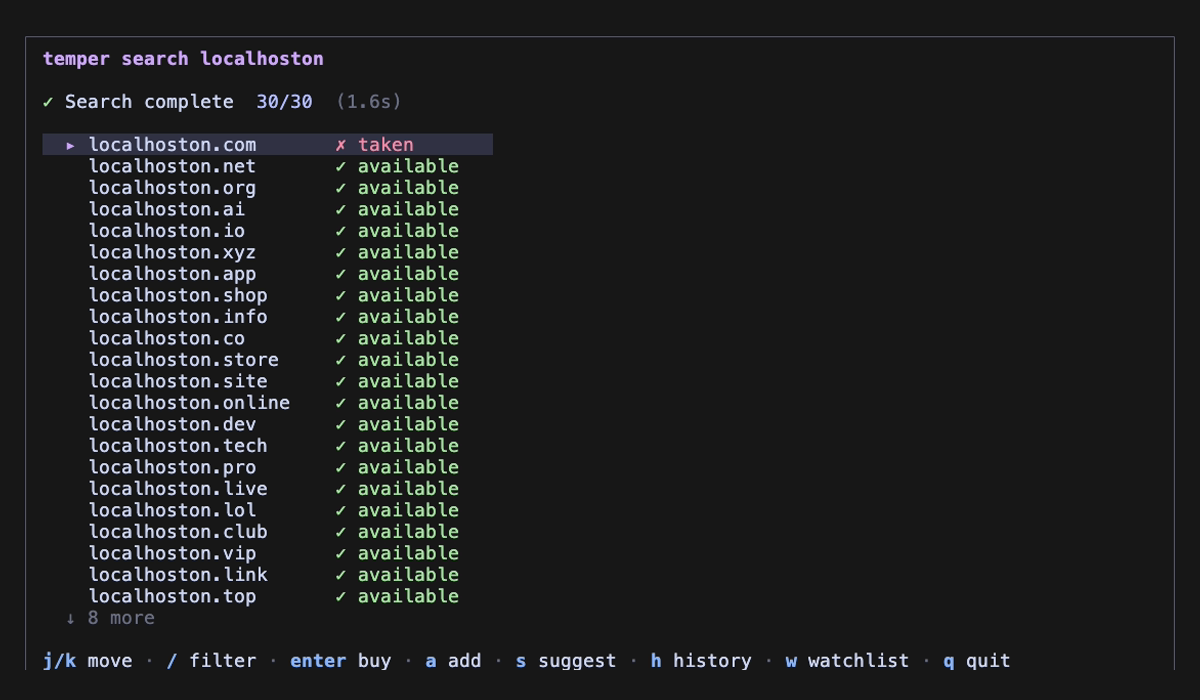
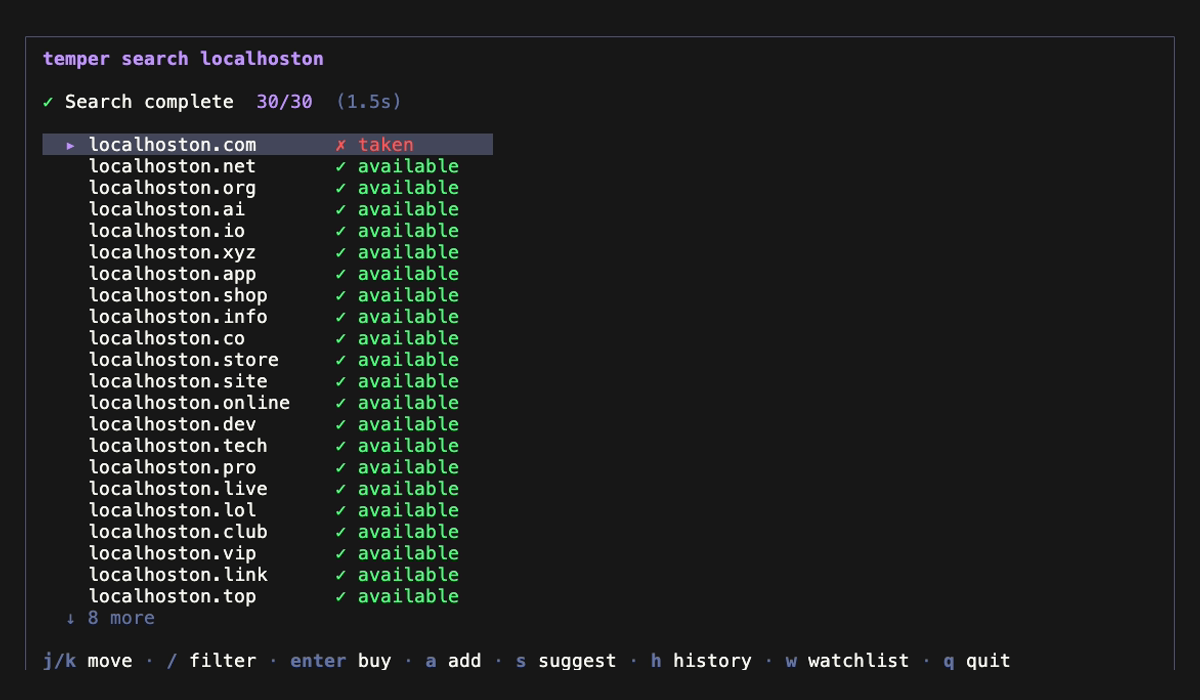
| 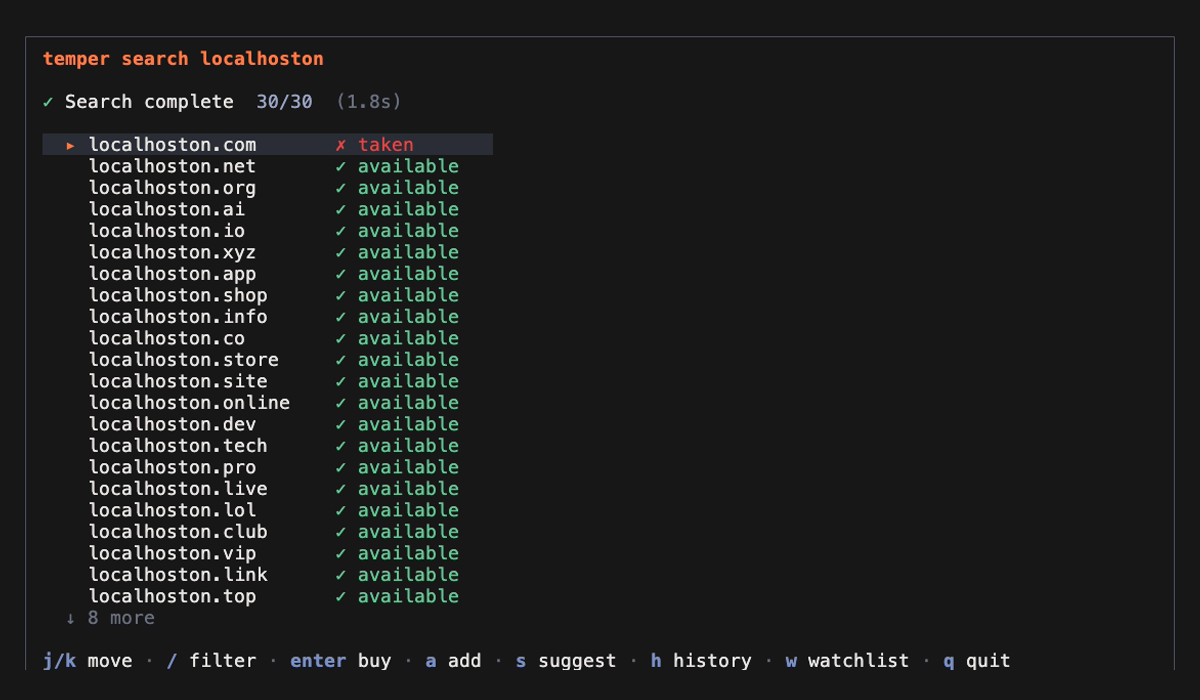 | 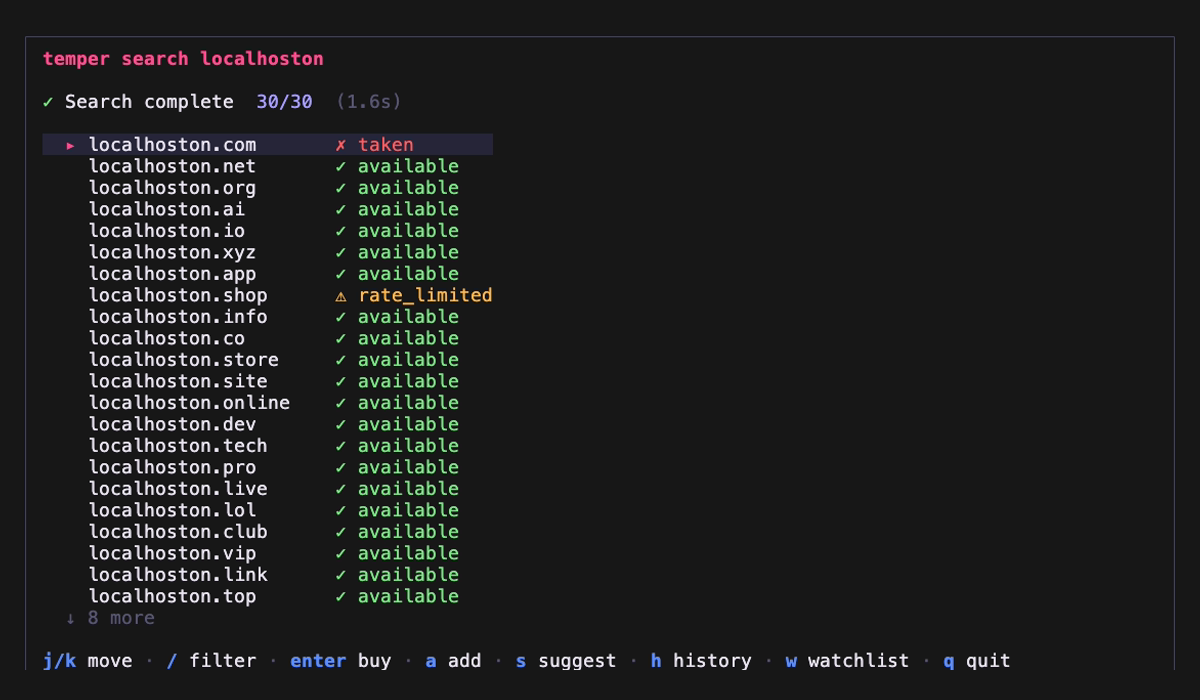 |
|  |  |
| 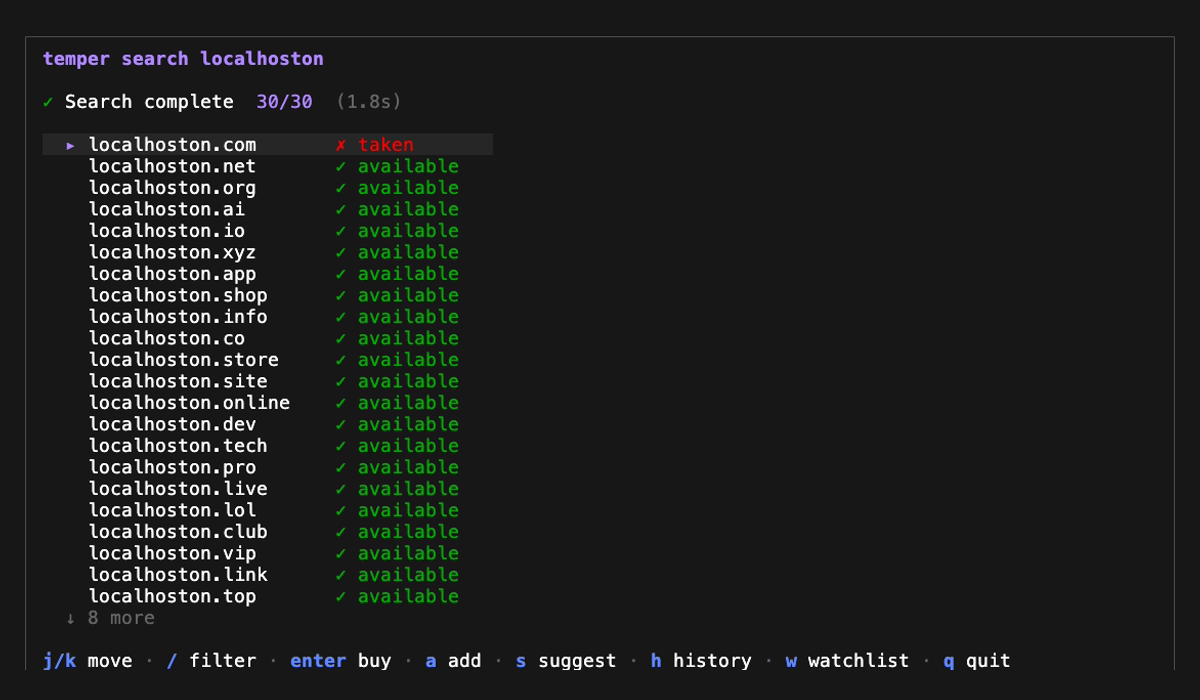 | 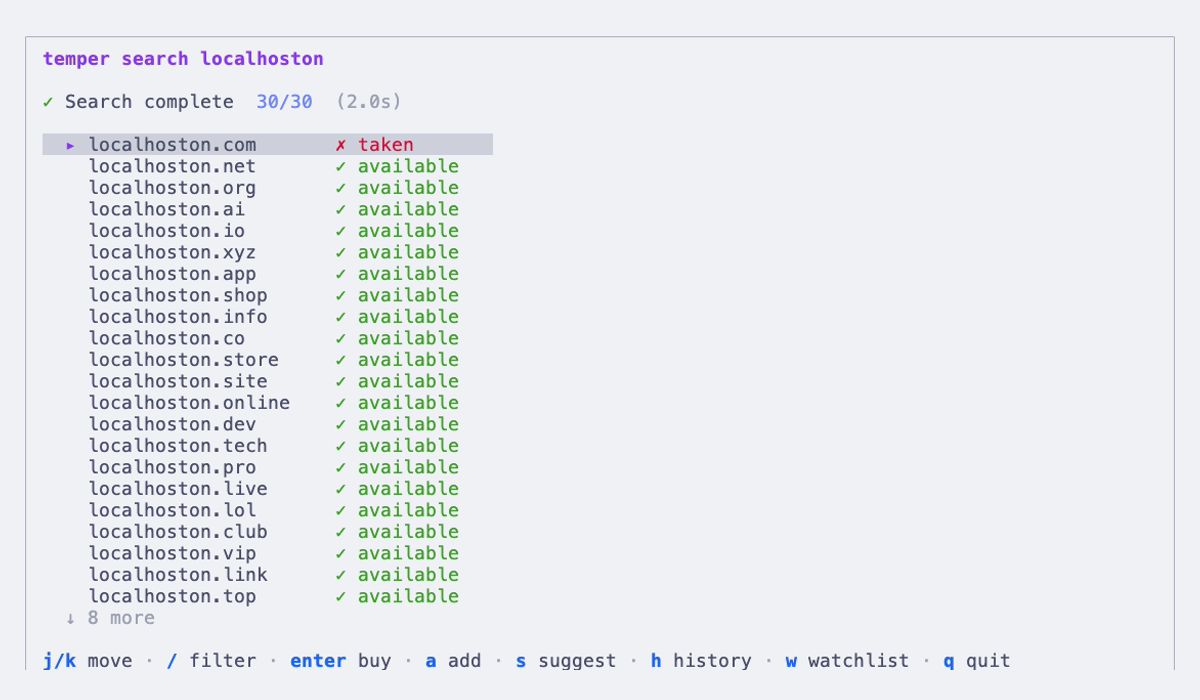 |
| 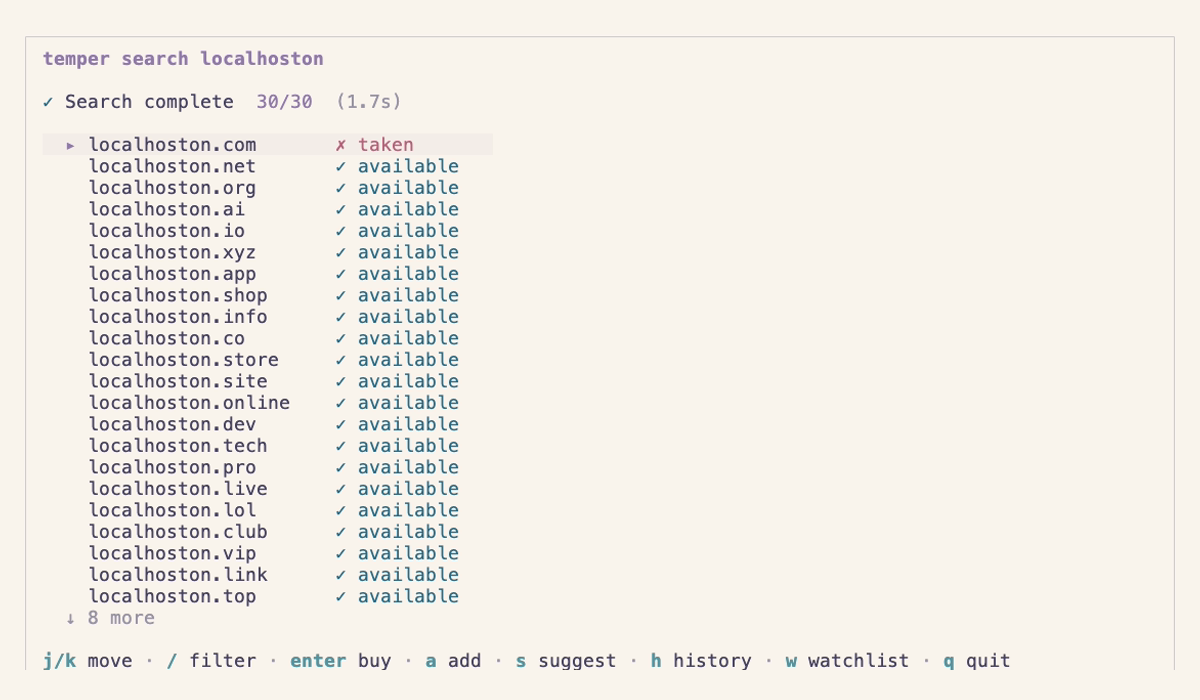 |
| Theme | |
|---|---|
| **Temper Forge** | 🔥 Flame orange on dark steel |
| **Seoul Night** | 🌃 Neon pink, Han River blue |
| **Catppuccin Mocha** | 🎨 Soft pastels |
| **Dracula** | 🧛 High contrast |
| **Default** | ⚫ Terminal native |
| **Catppuccin Latte** | ☀️ Pastel light |
| **Rosé Pine Dawn** | 🌅 Warm natural light |
AI Skill Hub 为第三方内容聚合平台,本页面信息基于公开数据整理,不对工具功能和质量作任何法律背书。
建议在沙箱或测试环境中充分验证后,再部署至生产环境,并做好必要的安全评估。
✅ Apache 2.0 — 宽松开源协议,可商用,需保留版权声明和 NOTICE 文件,含专利授权条款。
AI Skill Hub 点评:temper-domains 的核心功能完整,质量良好。对于Claude Desktop / Claude Code 用户来说,这是一个值得纳入个人工具库的选择。建议先在非生产环境试用,再逐步推广。
| 原始名称 | temper-domains |
| 原始描述 | 开源MCP工具:Search domain availability from your terminal. Open source, fast, private.。⭐6 · TypeScript |
| Topics | mcpbunclidomaindomainshomebrewtypescript |
| GitHub | https://github.com/jongjinchoi/temper-domains |
| License | Apache-2.0 |
| 语言 | TypeScript |
收录时间:2026-05-22 · 更新时间:2026-05-22 · License:Apache-2.0 · AI Skill Hub 不对第三方内容的准确性作法律背书。
选择 Agent 类型,复制安装指令后粘贴到对应客户端