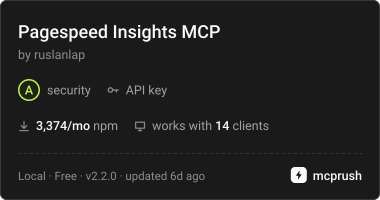
PageSpeed Insights MCP
经 AI Skill Hub 精选评估,PageSpeed Insights MCP 获评「强烈推荐」。这款MCP工具在功能完整性、社区活跃度和易用性方面表现出色,AI 评分 8.0 分,适合有一定技术背景的用户使用。
📚 深度解析
通过安装 PageSpeed Insights MCP,你的 AI 助手将获得额外的工具调用能力,可以用自然语言直接操控该工具的功能,无需学习复杂的命令行语法。MCP 工具的核心价值在于"一次配置,永久增强"——配置完成后,每次与 AI 对话时都可以无缝调用这些工具。
在技术实现上,MCP 工具通过标准的 JSON-RPC 协议与 AI 客户端通信,工具的功能以"工具列表"的形式暴露给 AI 模型,AI 可以按需调用。PageSpeed Insights MCP 提供了结构化的工具调用接口,使 AI 模型能够精确地理解和使用每个功能点,显著降低 AI 在工具使用上的错误率。
与传统的 API 集成相比,MCP 工具的优势在于无需编写代码——用户只需在配置文件中添加几行 JSON,即可让 AI 获得全新能力。AI Skill Hub 将 PageSpeed Insights MCP 评为 AI 评分 8.0 分,属于同类工具中的优质选择。
📋 工具概览
PageSpeed Insights MCP 是一款遵循 MCP(Model Context Protocol)标准协议的 AI 工具扩展。通过 MCP 协议,它可以让 Claude、Cursor 等主流 AI 客户端直接访问和操作外部工具、数据源和服务,实现 AI 能力的无缝扩展。无论是文件操作、数据库查询还是 API 调用,都可以通过自然语言在 AI 对话中直接触发,极大提升生产效率。
📖 中文文档
PageSpeed Insights MCP 是一款遵循 MCP(Model Context Protocol)标准协议的 AI 工具扩展。通过 MCP 协议,它可以让 Claude、Cursor 等主流 AI 客户端直接访问和操作外部工具、数据源和服务,实现 AI 能力的无缝扩展。无论是文件操作、数据库查询还是 API 调用,都可以通过自然语言在 AI 对话中直接触发,极大提升生产效率。
- 通过标准 MCP 协议与 Claude、Cursor 等主流 AI 客户端深度集成
- 提供结构化工具调用接口,显著降低 AI 集成复杂度
- 支持 Claude Desktop 和 Claude Code 无缝接入,开箱即用
- 可与其他 MCP 工具组合叠加,构建完整 AI 工作站
- 轻量无侵入设计,不影响现有系统架构
- 在 Claude Desktop 对话中直接调用本地工具,实现 AI 与系统的深度联动
- 通过自然语言驱动复杂的多步骤自动化任务,代替繁琐手动操作
- 将多个 MCP 工具组合使用,构建个人专属 AI 工作站
# 方式一:通过 Claude Code CLI 一键安装
claude skill install https://github.com/ruslanlap/pagespeed-insights-mcp

# 方式二:手动配置 claude_desktop_config.json
{
  "mcpServers": {
    "pagespeed-insights-mcp": {
      "command": "npx",
      "args": ["-y", "pagespeed-insights-mcp"]
    }
  }
}

# 配置文件位置
# macOS: ~/Library/Application Support/Claude/claude_desktop_config.json
# Windows: %APPDATA%/Claude/claude_desktop_config.json
- 确认已安装 Node.js(v18 或以上版本)
- 打开 Claude Desktop 或 Claude Code 的 MCP 配置文件
- 按「交给 Agent 安装 → Claude Desktop」标签中的 JSON 配置填入 mcpServers 字段
- 保存配置文件并重启 Claude 客户端
- 重启后,在对话中即可使用本工具
# 安装后在 Claude 对话中直接使用
# 示例:
用户: 请帮我用 PageSpeed Insights MCP 执行以下任务...
Claude: [自动调用 PageSpeed Insights MCP MCP 工具处理请求]

# 查看可用工具列表
# 在 Claude 中输入:"列出所有可用的 MCP 工具"
// claude_desktop_config.json 配置示例
{
  "mcpServers": {
    "pagespeed_insights_mcp": {
      "command": "npx",
      "args": ["-y", "pagespeed-insights-mcp"],
      "env": {
        // "API_KEY": "your-api-key-here"
      }
    }
  }
}

// 保存后重启 Claude Desktop 生效
PageSpeed Insights MCP Server

Six-tool MCP server for Google PageSpeed Insights & Chrome UX Report APIs. Analyze, compare, and optimize web performance directly through Claude, Cursor, or any MCP-compatible AI client.
⚡ Quick performance overview
Get a quick performance report for https://example.comLatest Highlights:
- ✨ Rich Aesthetic & Visual Formatters:
- Unicode Score Bars: Gauge progress visualization (
█████████████░░░ 85/100 🟢 Good) for instant visual feedback. - Core Web Vitals Scorecards: Clean markdown tables classified with official Google 2026 guidelines (
🟢 Good,🟡 Needs Improvement,🔴 Poor). - GitHub Shield Badges: Direct copy-paste markdown badges for repository READMEs with direct web.dev analysis links.
- Modernized Mermaid Architecture Maps: High-contrast, dark-mode friendly flowcharts with color-coded nodes.
- Recommendation Callouts: Visual priority summary callout cards (
🔴 High | 🟡 Medium | 🟢 Low | Impact: High).
- 💬 Native MCP Prompts (Slash Commands):
- Interactive prompts exposed to Claude Desktop, Cursor, and Cline slash menus:
/performance-audit: Guided 4-step performance triage with prioritized remediation./release-comparison: Staging vs production delta verification with a clear GO / NO-GO decision./core-web-vitals-deepdive: Deep-dive contrasting real-user CrUX field data with synthetic Lighthouse lab simulations.
- 📚 Native MCP Resources:
- Direct context URIs without tool executions:
pagespeed://web-vitals-guide: 2026 Core Web Vitals thresholds and optimization playbooks.pagespeed://baselines: Locally recorded performance baselines for regression tracking.
- 🧪 Enterprise-Grade Test Suite & Resilience:
- Expanded test coverage across 21 test suites and 304 tests (100% passing).
- High coverage standards: 96.43% statements, 85.82% branch coverage (
100%on formatters, resources, and baselines). - Clean, single-run execution across CI and
prepublishOnly(lint,typecheck,test,build).
- v2 Core Architecture:
- Six workflow-oriented
pagespeed_*tools replace the former 19 v1 endpoint-shaped tools; all data tools support Markdown or JSON with structured results.
The badges at the top of this README update automatically on every release (npm version, GitHub package version, downloads). No manual edits needed.
For the complete release history, see CHANGELOG.md.
✨ Features
Core Features
- 🚀 Performance Analysis of web pages using Google PageSpeed Insights
- 📱 Multi-platform Support: mobile and desktop devices
- 🔍 Detailed Lighthouse Reports with comprehensive metrics
- 📊 Simplified Reports with key performance indicators
- 🎯 Smart Recommendations with priority scoring and actionable fixes
- 💾 Intelligent Caching to reduce API calls and improve performance
- 🌍 Localization - support for multiple languages
- ⚡ Quick Installation - one command setup
- 🐳 Docker Support for containerized deployment
Requirements
- Node.js 20.19.0 or later (Node 18 is EOL since April 2025 and is no longer supported).
- A Google API key with PageSpeed Insights and (optionally) Chrome UX Report APIs enabled.
For Grok Build (config.toml)
Add to ~/.grok/config.toml (global) or <repo>/.grok/config.toml (project-scoped, higher priority):
```toml [mcp_servers.pagespeed-insights] command = "npx" args = ["-y", "-p", "pino-pretty", "-p", "pagespeed-insights-mcp", "pagespeed-insights-mcp"] env = { GOOGLE_API_KEY = "${GOOGLE_API_KEY}" } enabled = true
🚀 Quick Installation
Option 1: Automatic Installation (Recommended)
```bash
Global installation from npm
npm install -g pagespeed-insights-mcp
Or use without installation
npx pagespeed-insights-mcp
#### From GitHub Packages
Then install globally
npm install -g @ruslanlap/pagespeed-insights-mcp ```
Note: This package is available on both npm and GitHub Packages. - For npm: Usenpm install pagespeed-insights-mcp- For GitHub Packages: Usenpm install @ruslanlap/pagespeed-insights-mcp(requires GitHub authentication) For detailed instructions on installing from GitHub Packages, see GITHUB_PACKAGES.md or visit the GitHub Packages page
Option 3: Docker
docker build -t pagespeed-insights-mcp .
docker run -e GOOGLE_API_KEY=your-key pagespeed-insights-mcp
Build project
npm run build
⚡ Quick Start (Copy & Paste)
{
  "mcpServers": {
    "pagespeed-insights": {
      "command": "npx",
      "args": ["-y", "pagespeed-insights-mcp"],
      "env": { "GOOGLE_API_KEY": "your-google-api-key" }
    }
  }
}
Get a free API key at Google Cloud Console → paste into Claude Desktop's claude_desktop_config.json → restart. Done. (Codex/OpenAI config, Docker)



<p align="center"> <img src="https://raw.githubusercontent.com/ruslanlap/pagespeed-insights-mcp/master/assets/1.png" alt="PageSpeed MCP chat demo" width="48%" /> <img src="https://raw.githubusercontent.com/ruslanlap/pagespeed-insights-mcp/master/assets/2.png" alt="PageSpeed MCP terminal demo" width="48%" /> </p>




📊 Example Output
Real pagespeed_analyze_page results for github.com — one mobile Lighthouse run. CrUX numbers come from pagespeed_get_field_data with scope: "origin":
Lighthouse lab scores:
| Category | Score | Status |
|---|---|---|
| **Performance (mobile)** | **54/100** | 🔴 Poor |
| **Performance (desktop)** | **52/100** | 🔴 Poor |
Core metrics (mobile):
| Metric | Value | Rating |
|---|---|---|
| First Contentful Paint | 11.9 s | 🔴 Poor |
| Largest Contentful Paint | 13.4 s | 🔴 Poor |
| Total Blocking Time | 30 ms | 🟢 Excellent |
| Cumulative Layout Shift | 0.07 | 🟢 Good |
| Speed Index | 11.9 s | 🔴 Poor |
CrUX field data — real users, github.com origin (phone):
| Metric | p75 (real users) |
|---|---|
| First Contentful Paint | 1.9 s |
| Largest Contentful Paint | 2.2 s |
| Interaction to Next Paint | 243 ms |
| Cumulative Layout Shift | 0.02 |
Results vary between runs — Lighthouse lab data is noisy (a single run is one sample). Use runs: 3-5 for medians. Lab vs field: Lighthouse throttles the connection (hence 54/100 mobile), while CrUX shows how actual GitHub visitors experience it — both views come straight from this server's tools.
📝 MCP Configuration Examples
For Claude Desktop (with pino-pretty logging):
"pagespeed-insights": {
  "command": "npx",
  "args": [
    "-y",
    "-p",
    "pino-pretty",
    "-p",
    "pagespeed-insights-mcp",
    "pagespeed-insights-mcp"
  ],
  "env": {
    "GOOGLE_API_KEY": "your-google-api-key-here"
  }
}
For Codex (with pino-pretty logging):
[mcp_servers.pagespeed-insights]
command = "npx"
args = [
  "-y",
  "-p",
  "pino-pretty",
  "-p",
  "pagespeed-insights-mcp",
  "pagespeed-insights-mcp"
]
env = { GOOGLE_API_KEY = "your-google-api-key-here" }
Note: These examples include pino-pretty for better log formatting. For production use without pretty logs, see the Logging section below.
Step-by-Step Guide
1. Go to the Google Cloud Console (or use the Quick Setup Link). 2. Create a new project or select an existing one. 3. Enable PageSpeed Insights API: - Navigate to APIs & Services → Library. - Search for "PageSpeed Insights API" and click Enable. 4. Create an API key: - Go to APIs & Services → Credentials. - Click Create Credentials → API Key. - Copy the generated key and set it as GOOGLE_API_KEY in your configuration.
<p align="center"> <img src="assets/3.png" alt="Google Cloud Console API Key Setup" width="90%" /> </p>
💻 Usage
After configuration, simply ask Claude any of these commands:
Examples
{"url":"https://example.com","strategy":"mobile","report":"recommendations","responseFormat":"markdown"}{"url":"https://example.com","focus":"render-blocking","responseFormat":"json"}{"mode":"baseline","url":"https://example.com","strategy":"mobile","runs":3}Example
answer example from Claude Desktop with pagespeed-insights-mcp 🔥🔥🔥
⚙️ Client Configuration
Set environment variable
export GOOGLE_API_KEY=your-google-api-key
The installer uses the public npm package (`pagespeed-insights-mcp`) by default. To install the scoped GitHub Packages build instead, configure GitHub Packages authentication first and run:
Option 2: Via npm or GitHub Packages
From npm (Public Registry)
```bash
First configure authentication (see GITHUB_PACKAGES.md for details)
🔧 Configuration
The MCP server requires a Google API key to access the PageSpeed Insights API.
```bash
Set environment variable
export GOOGLE_API_KEY=your-google-api-key
⚙️ Claude Desktop Configuration
Config paths: macOS ~/Library/Application Support/Claude/claude_desktop_config.json · Windows %APPDATA%\Claude\claude_desktop_config.json · Linux ~/.config/claude/claude_desktop_config.json — see ⚙️ Client Configuration above for the JSON. Restart Claude Desktop after editing.
Logging / `pino-pretty` in MCP environments
This MCP server uses pino for logging and enables the pino-pretty transport when NODE_ENV=development.
- If you just want it to work with minimal setup (Claude, Codex, etc.), set:
NODE_ENV=production GOOGLE_API_KEY=your-google-api-key npx pagespeed-insights-mcpor in your MCP config:
"pagespeed-insights": {
  "command": "npx",
  "args": ["pagespeed-insights-mcp"],
  "env": {
    "GOOGLE_API_KEY": "your-google-api-key-here",
    "NODE_ENV": "production"
  }
}- If you want pretty logs in development via
npx, you can havenpxinstallpino-prettyalongside the server:
"pagespeed-insights": {
  "command": "npx",
  "args": [
    "-y",
    "-p",
    "pino-pretty",
    "-p",
    "pagespeed-insights-mcp",
    "pagespeed-insights-mcp"
  ],
  "env": {
    "GOOGLE_API_KEY": "your-google-api-key-here"
  }
}
🔑 Getting Google API Key
To use this MCP server, you need a Google API key with the PageSpeed Insights API enabled.
[!TIP] ⚡ Quick Setup Link: You can go directly to the Google Cloud Credentials Setup Page to quickly create a key in your project.
"Google API key not provided"
Ensure the GOOGLE_API_KEY environment variable is set in your Claude Desktop configuration.
"PageSpeed Insights API error: 403"
Check if PageSpeed Insights API is enabled in your Google Cloud project.
Troubleshooting
pagespeed-insights-mcp 是一个基于 MCP 协议的服务端实现,旨在为 AI 助手提供快速的网页性能分析能力。通过集成 Google PageSpeed Insights,开发者可以直接在聊天界面中获取指定 URL 的性能报告,实现性能数据的即时查询与可视化展示,极大提升了 Web 性能调优的效率。
该项目核心功能包括利用 Google PageSpeed Insights 进行深度的网页性能分析,支持 Mobile 和 Desktop 双端设备检测。它能生成详尽的 Lighthouse Reports,并提供简化版的关键性能指标(KPI)报告。此外,系统具备智能推荐功能,可根据优先级评分提供可落地的修复建议,并通过智能缓存机制减少 API 调用频率,优化响应速度。
在使用本项目前,请确保您的开发环境已安装 Node.js 20 或更高版本(Node 18 已于 2025 年 4 月停止维护,不再受支持)。此外,您需要准备一个 Google API Key,并确保已在 Google Cloud 控制台中启用了 PageSpeed Insights API 以及(可选的)Chrome UX Report API。
推荐使用自动安装方式,通过 npm 进行全局安装:`npm install -g pagespeed-insights-mcp`。此外,您也可以通过 GitHub Packages 或直接使用 npx 命令运行。对于需要通过环境变量进行配置的场景,建议在安装后通过设置 `GOOGLE_API_KEY` 来完成初始化。
配置完成后,您可以直接在 Claude Desktop 或 Codex 等支持 MCP 协议的客户端中通过自然语言进行交互。例如,您可以直接向 Claude 发送指令,要求其针对特定 URL 获取性能报告,AI 将自动调用该 MCP Server 获取数据并为您解读性能指标。
配置该服务需要设置环境变量 `GOOGLE_API_KEY`。对于 Claude Desktop 用户,需在配置文件中添加 `pagespeed-insights` 节点,并使用 `npx` 命令配合 `pino-pretty` 进行日志记录。Codex 用户则需在 TOML 配置文件中进行相应的 MCP Server 节点定义。
本项目依赖 Google Cloud Platform 提供的 API 服务。开发者需要前往 Google Cloud Console 创建项目,在 'APIs & Services' 库中搜索并启用 'PageSpeed Insights API',随后在 'Credentials' 页面生成专属的 API Key 以供调用。
常见问题说明:若遇到 'Google API key not provided' 错误,请检查 Claude Desktop 配置中的 `GOOGLE_API_KEY` 环境变量是否正确设置;若遇到 'PageSpeed Insights API error: 403',请务必确认您的 Google Cloud 项目中已成功启用 PageSpeed Insights API 权限。
高质量的开源MCP工具,易于使用和集成
- 需要让 Claude / Cursor 操作本地工具的 AI 工程师
- 跨境业务、多语言内容运营团队
- 配置 MCP 服务器时建议使用 stdio 传输 + JSON-RPC,避免暴露公网
- 生产部署优先使用 Docker Compose 隔离依赖,并挂载 volume 持久化数据
- API key 直接提交到 git 仓库(请用 .env 并加入 .gitignore)
- MCP 配置路径拼错或权限不足,重启 Claude Desktop 才生效
- 容器内无法访问宿主机 localhost — 使用 host.docker.internal
- Docker:pagespeed-insights-mcp 提供官方镜像,docker compose up 一键启动
- CLI:直接 npm install -g / pip install,命令行调用
- 云端托管:可放在 Vercel / Railway / Fly.io 等 PaaS 平台
⚡ 核心功能
- 通过标准 MCP 协议与 Claude、Cursor 等主流 AI 客户端深度集成
- 提供结构化工具调用接口,显著降低 AI 集成复杂度
- 支持 Claude Desktop 和 Claude Code 无缝接入,开箱即用
- 可与其他 MCP 工具组合叠加,构建完整 AI 工作站
- 轻量无侵入设计,不影响现有系统架构
- 需要让 Claude / Cursor 操作本地工具的 AI 工程师
- 跨境业务、多语言内容运营团队
- 配置 MCP 服务器时建议使用 stdio 传输 + JSON-RPC,避免暴露公网
- 生产部署优先使用 Docker Compose 隔离依赖,并挂载 volume 持久化数据
- API key 直接提交到 git 仓库(请用 .env 并加入 .gitignore)
- MCP 配置路径拼错或权限不足,重启 Claude Desktop 才生效
- 容器内无法访问宿主机 localhost — 使用 host.docker.internal
👥 适合人群
🎯 使用场景
- 在 Claude Desktop 对话中直接调用本地工具,实现 AI 与系统的深度联动
- 通过自然语言驱动复杂的多步骤自动化任务,代替繁琐手动操作
- 将多个 MCP 工具组合使用,构建个人专属 AI 工作站
⚖️ 优点与不足
- +MIT 协议,可免费商用
- +标准化 MCP 协议,生态互联性强
- +与 Claude 官方生态无缝对接
- +即插即用,配置简单快捷
- −依赖 Claude 客户端,非 Claude 用户无法使用
- −MCP 协议仍在持续演进,接口可能变更
- −需要一定的配置步骤
AI Skill Hub 为第三方内容聚合平台,本页面信息基于公开数据整理,不对工具功能和质量作任何法律背书。
建议在沙箱或测试环境中充分验证后,再部署至生产环境,并做好必要的安全评估。
✅ MIT 协议 — 最宽松的开源协议之一,可自由商用、修改、分发,仅需保留版权声明。
❓ 常见问题 FAQ
AI Skill Hub 点评:PageSpeed Insights MCP 的核心功能完整,质量优秀。对于Claude Desktop / Claude Code 用户来说,这是一个值得纳入个人工具库的选择。建议先在非生产环境试用,再逐步推广。
| 原始名称 | pagespeed-insights-mcp |
| 原始描述 | 开源MCP工具:MCP server for Google PageSpeed Insights API that enables web page performance a。⭐25 · JavaScript |
| Topics | google-insightsmcpjavascript |
| GitHub | https://github.com/ruslanlap/pagespeed-insights-mcp |
| License | MIT |
| 语言 | JavaScript |
收录时间:2026-05-26 · 更新时间:2026-05-30 · License:MIT · AI Skill Hub 不对第三方内容的准确性作法律背书。